
How to Extend Your Whirlpool Washer Agitator Cam Life — Maintenance Guide
Always unplug the washer before removing the agitator. The cam assembly is under spring tension and can cause injury if released improperly.
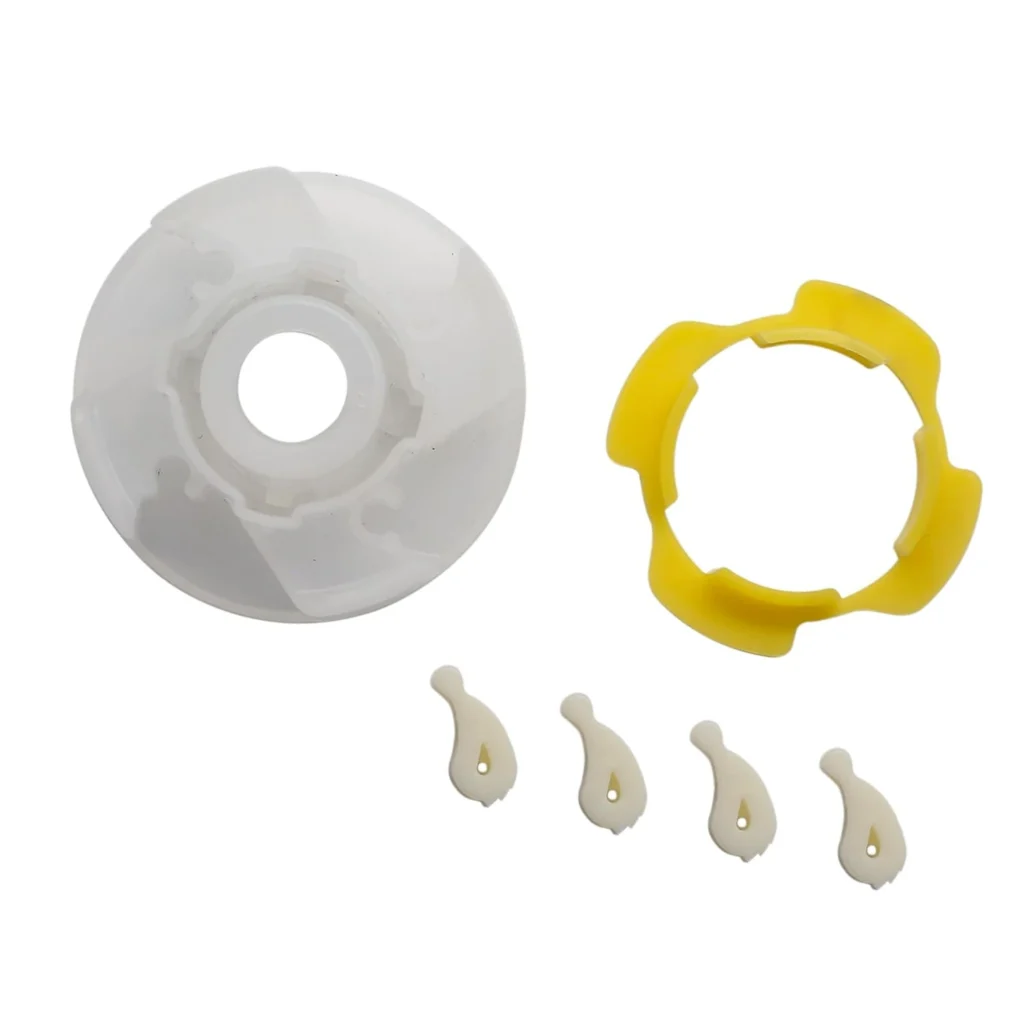
Most Whirlpool agitator cams fail between 5-8 years, but I've seen units on their original cam at 15 years. The difference? Consistent maintenance and knowing what kills these parts early. If your LSQ9549LQ1 or WTW5790VQ1 is spinning slowly or leaving marks on clothes, you're likely already experiencing cam wear — but catching it early can add years to the part's life.
How Long Should It Last?
The 285809 agitator cam kit is built to handle 8-12 years of regular use in typical households. That's roughly 3,000-4,500 wash cycles. But here's what actually determines lifespan:
Overloading kills it fast. Every time you stuff the drum beyond capacity, the cam dogs grind against each other under excessive pressure. This creates plastic shavings and accelerates wear patterns that should take years to develop.
Water quality matters more than you'd think. Hard water leaves mineral deposits on the cam teeth, creating friction points that shouldn't exist. If you're in an area with hard water and haven't seen white buildup around your agitator base, you're the exception.
The agitator bolt tension is critical. Too loose and the cam slips, grinding the teeth. Too tight and you're putting constant pressure on the plastic. I check this every six months on my own machines.
Signs It's Wearing Out
The cam assembly doesn't fail suddenly — it gives you warnings. Here's what to watch for, starting with the earliest indicators:
Spinning Issues
When the cam dogs wear down, the agitator loses its ability to lock properly during the spin cycle. You'll notice the drum takes longer to reach full speed, or it never quite gets there. On models like the 1CWTW5300VW0 and 1CWTW5520SQ0, this shows up as clothes that are wetter than normal at the end of the cycle — because the spin speed dropped by 20-30% without you realizing it.
Test this: Start a spin cycle and listen. A healthy cam locks with a single solid click. A worn cam makes multiple clicking sounds as it tries to engage, or you'll hear a grinding noise as the dogs slip past each other.
Spins Slowly
This is the progression from occasional spinning issues. The cam dogs are now worn enough that they can't maintain engagement under load. Your 7MLSQ8545PQ1 might start the spin cycle fine with light loads, but add towels or jeans and it slows to a crawl.
What's happening inside: The cam's ratcheting teeth have rounded edges instead of sharp 90-degree angles. They're slipping over each other instead of locking. Each slip generates heat and grinds away more plastic, accelerating the failure.
Marks Left on Clothes
Once you're seeing fabric damage, the cam is in its final stages. The plastic teeth have broken off entirely in spots, leaving sharp edges that catch and tear fabric as the agitator moves. I've seen this destroy entire loads of dress shirts on WTW5900TW0 and WTW4816FW0 models.
Check for this: Remove the agitator cap and look at the cam dogs. If you see any missing teeth, broken pieces, or sharp plastic edges, you're past maintenance and into replacement territory. Don't run another load — you'll just destroy more clothes.
Will Not Agitate
Complete failure. The cam assembly is so worn it can't engage the agitator drive at all. Your 2DLSQ7533JQ0 fills with water, the motor runs, but the agitator sits motionless. At this point, there's nothing to maintain — you need part 285809.
When to Replace vs Maintain
Here's my decision framework after 20 years of looking at these cams:
Keep maintaining if: The cam teeth show minor rounding on the edges but no missing pieces. The agitator still engages reliably 95% of the time. You're not seeing any fabric damage. You can buy yourself another 1-2 years with proper care.
Replace immediately if: Any teeth are completely missing or broken off. You're experiencing fabric damage. The agitator fails to engage more than once per month. You hear grinding noises during operation. Maintenance won't fix structural damage — you're just postponing the inevitable and risking your clothes in the process.
The gray area: If the cam engages but spins slowly under heavy loads, you can maintain it for light-duty use while you order the replacement kit. Just stick to smaller loads and avoid heavy items until the new part arrives.
Frequently Asked Questions
How often should I clean the agitator cam assembly?
Every six months for hard water areas, annually for soft water. Pull the agitator, remove any fabric lint or mineral deposits from the cam dogs, and wipe everything down with a damp cloth. Takes 10 minutes and can double the cam's lifespan. If you're running more than 10 loads per week, bump this to quarterly.
Can I use lubricant on the cam to reduce wear?
No. Never lubricate the cam dogs themselves — grease attracts lint and detergent residue that'll turn into grinding paste. The only lubrication point is the center shaft where the agitator mounts, and only if your model's service manual specifically calls for it. Most Whirlpool top-loaders don't require any lubrication.
Will using cold water extend cam life?
Not directly, but it helps indirectly. Hot water softens the plastic slightly, making it more susceptible to wear under pressure. More importantly, cold water washes tend to use gentler cycles, which puts less stress on the cam. If you're washing in hot water 80% of the time and overloading regularly, you're creating the perfect storm for early cam failure.
Element showing wear?
285809 · Replace before it fully fails