
How to Replace W10909387 Condenser Fan Motor on Whirlpool Refrigerator — Step-by-Step
Always unplug the refrigerator before working on electrical components. The condenser fan motor is powered by household voltage and can cause serious injury if you work on it while plugged in.
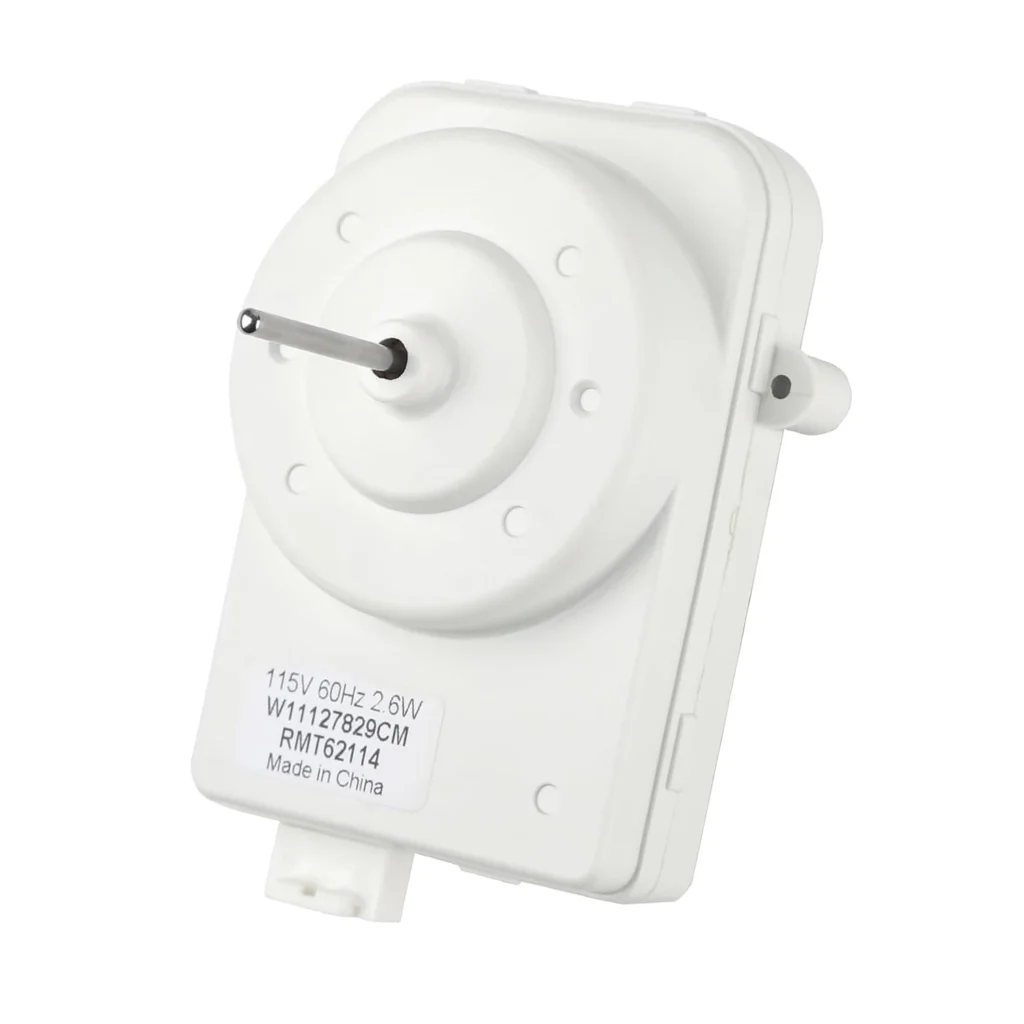
Your Whirlpool refrigerator started making a grinding noise near the bottom. You checked, and it's not ice buildup — it's the condenser fan motor struggling to spin. Left alone, that dying motor will cause your compressor to overheat and your fridge to stop cooling properly. The W10909387 condenser fan motor is a common failure point on models like the WRT318FMDW01, WRF767SDHZ02, and WRS571CIHZ00.
What You Need Before Starting
- 1/4" nut driver or socket
- Phillips screwdriver
- Flathead screwdriver
- Work gloves (fan blades can be sharp)
- Towel or cardboard to protect your floor
Repair Time: 25-35 minutes
Difficulty: Moderate — Requires pulling the fridge out and accessing the back panel
Safety First
Unplug the refrigerator completely before you start. The condenser fan motor connects directly to household power, and the fan blade can spin freely when you're working. You'll be working near the compressor, which can be hot if the fridge was recently running. Give it 15 minutes to cool down. If you hear hissing or smell refrigerant, stop and call a technician — that's a sealed system issue, not just the fan motor.
Step 1: Pull the Fridge Out and Remove the Lower Access Panel
Pull your fridge away from the wall so you've got room to work behind it. You'll see a thin metal or plastic panel covering the bottom back section — that's your access panel. Remove the screws holding it in place (usually four to six Phillips head screws). Set the panel aside. You'll now see the compressor (the black cylinder), the condenser coils, and the fan motor assembly mounted nearby.
Step 2: Disconnect the Fan Motor Wiring
Locate the wire harness connected to the fan motor. It's typically a two-wire connector with a plastic clip. Press the tab and pull it straight off — don't yank on the wires themselves. If the connector is stubborn from years of heat exposure, use a flathead screwdriver to gently pry the clip while pulling. Take a photo of the wire routing before you disconnect anything so you remember how it threads around the compressor.
Step 3: Remove the Old Fan Motor and Blade
The W10909387 motor mounts with a metal bracket held by two or three screws. Remove those mounting screws and lift the entire motor assembly out. The fan blade is attached to the motor shaft with a clip or a small screw — check both sides of the blade hub. If it's a push-on clip, use a flathead screwdriver to pop it off. If it's a setscrew, loosen it with your nut driver. Slide the fan blade off the old motor shaft. Inspect the blade while you're at it — if it's cracked or the fins are damaged, replace it too.
Step 4: Install the New W10909387 Motor
Slide the fan blade onto the new motor shaft. Make sure it seats fully and the setscrew (if equipped) lines up with the flat spot on the shaft. Tighten it firmly but don't overtighten — you'll strip the threads. Position the new motor in the mounting bracket with the wires facing the same direction as the old motor. Install the mounting screws and tighten them evenly. The motor should sit flat and stable — if it wobbles, recheck your bracket alignment.
Step 5: Reconnect and Test
Plug the wire connector back into the new motor. You should hear a soft click when it seats properly. Route the wires the same way the old motor was set up — keep them away from sharp metal edges and the fan blade. Before you reinstall the access panel, plug the fridge back in and listen. The condenser fan should start spinning within a few seconds. It should run quietly without grinding, rattling, or wobbling. If it sounds rough, turn off the fridge and recheck the fan blade installation. Once it's running smoothly, unplug again and reinstall the lower access panel.
Testing After Installation
Plug the fridge back in and let it run for 30 minutes. The condenser fan should cycle on and off with the compressor. Put your hand near the back bottom of the fridge — you should feel warm air being pushed out as the fan cools the condenser coils. Check the temperature inside the fridge after a few hours — it should drop back to normal (35-38°F). If the fridge isn't cooling, you might have a wiring issue or a separate compressor problem, not just the fan motor.
Frequently Asked Questions
How do I know if the condenser fan motor is bad or if it's just a dirty coil?
A dirty condenser coil will make the compressor run longer, but the fan will still spin quietly. A bad motor makes grinding, squealing, or clicking noises — or the fan doesn't spin at all. Unplug the fridge, clean the coils with a coil brush, then plug it back in. If the noise continues or the fan won't spin freely by hand when it's off, the motor's shot.
Can I use the old fan blade with the new W10909387 motor?
Yes, as long as the blade isn't damaged. Check for cracks, bent fins, or a worn hub. If the blade looks good and the diameter matches (usually 4-5 inches for this motor), reuse it. Just make sure the mounting method matches — some blades use a clip, others use a setscrew. If they don't match up, order a new blade.
Why does my new condenser fan motor run constantly and not cycle off?
The condenser fan motor is controlled by the main control board and runs whenever the compressor runs. If it's running non-stop, the problem is likely the control board, a faulty temperature sensor, or a refrigerant leak causing the compressor to overwork. The motor itself is fine — you've got a different issue to diagnose. Check your fridge temperature settings first, then test the thermistor if temps are off.
Take a photo of the wire routing before disconnecting anything. The wire harness needs to stay clear of the fan blade and compressor, and a reference photo makes reassembly foolproof.
Need the part for this repair?
W10909387 · In Stock · Ships next business day