
How to Replace DD62-00053A Motor Pump Oil Shaft Seal on Samsung Dishwasher — Step-by-Step
Disconnect power at the breaker and shut off water supply before accessing the pump assembly. Avoid using pry tools that can damage the plastic cavity.
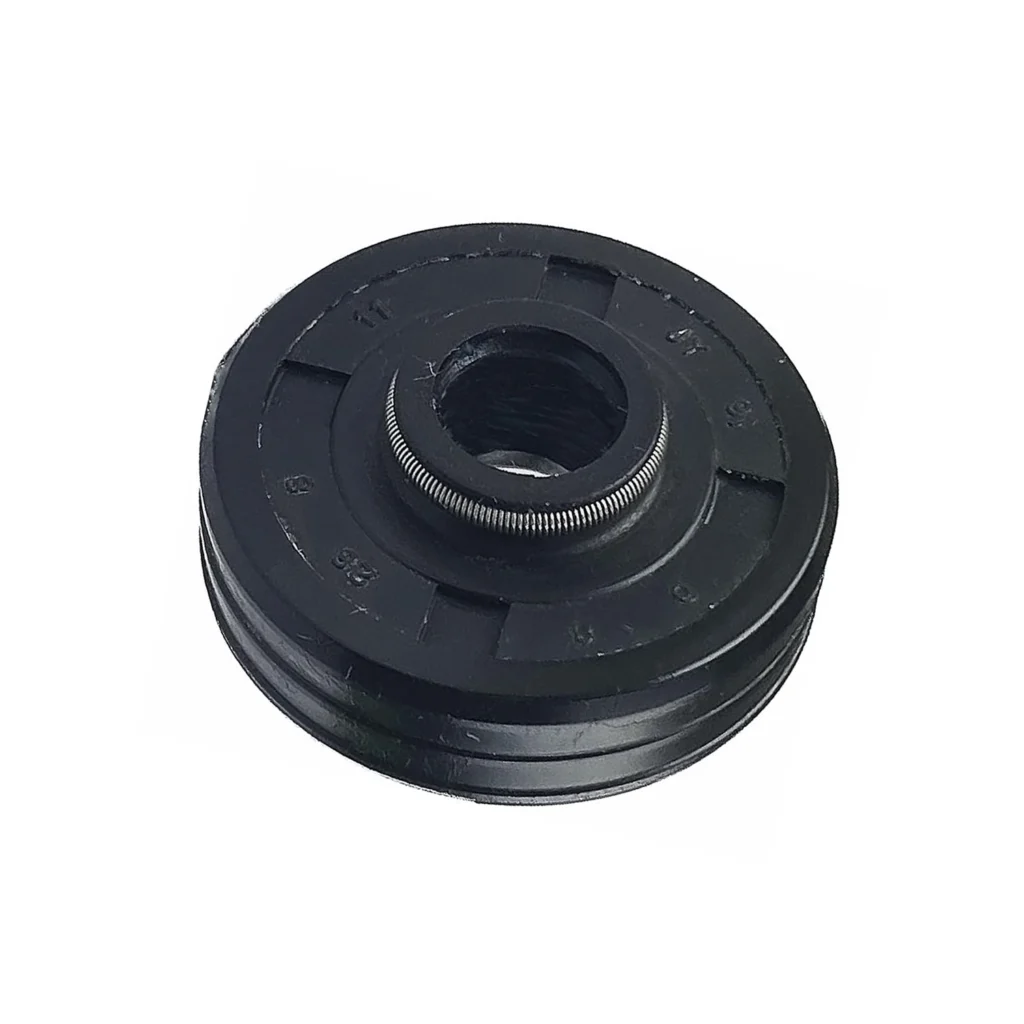
You walk into your kitchen and there's water pooling under your Samsung dishwasher. You pull it out, run a cycle, and spot water dripping from the bottom during the drain cycle. Chances are high you've got a failed motor shaft seal — especially if a piece of plastic worked its way into the pump assembly and damaged the seal. One repair tech described exactly this scenario: "A small piece of plastic made its way into the system. The hot water softened it enough that it wrapped around the motor shaft, re-hardened, then tore into the shaft seal." That's when you need the DD62-00053A shaft seal.
What You Need Before Starting
This repair takes 1-2 hours and has an easy difficulty rating, but you'll need to disassemble the lower pump assembly. Gather these tools:
- Pliers
- Flathead and Phillips screwdrivers
- Socket set (particularly helpful for pressing the new seal)
- Adjustable wrench or wrench set
- Small metal hooked awl (for seal removal)
- Flashlight
- Towels for cleanup
Time required: 1-2 hours | Difficulty: Easy
Safety First
Disconnect power at the breaker before starting — not just at the dishwasher switch. Turn off the water supply valve under the sink. You'll be working with the pump assembly, which may have standing water, so keep towels handy. If you're testing for leaks after installation, one tech recommends hoisting the dishwasher onto 4x4's in your kitchen, reconnecting water and electric, and watching with a flashlight during a full cycle. That's the only reliable way to confirm the leak is fixed on these Samsung models.
Step 1: Access the Lower Pump Assembly
Remove the lower dish rack and unscrew the spray arm. Take out the filter assembly by turning counterclockwise. Now remove the screws holding the sump cover in place — this exposes the pump and motor assembly underneath. Be careful with power screwdrivers here; accidentally poking a hole in the filter housing is easier than you'd think. You'll see the motor shaft in the center once the cover's off.
Step 2: Remove the Chopping Blade and Old Seal
The chopping blade sits above the shaft seal. Remove the mounting hardware holding it in place. Now you need to extract the old shaft seal without damaging the plastic cavity around it. Use a small metal hooked awl to carefully pull the seal from under where the chopping blade was seated. Don't use screwdrivers or pry tools that can gouge the plastic — you'll create new leak paths if you do.
Step 3: Inspect for Damage and Clean the Shaft
Check the motor shaft for grooves or damage caused by debris. That plastic piece that destroyed your old seal might still be lurking in there. Clean the shaft thoroughly and inspect the cavity where the seal sits. If you see the drain check valve nearby, check if it looks swollen or stretched — heat can cause it to fail over time, and you might as well replace it now while everything's apart.
Step 4: Install the New DD62-00053A Shaft Seal
Position the new seal over the motor shaft opening. Here's the trick: use a socket that matches the seal's outer diameter to press it into place by hand. This distributes pressure evenly and prevents damage to the new seal. Press firmly until it seats completely flush with the housing. Don't use hammers or mallets — hand pressure with the socket is all you need.
Step 5: Reassemble and Check Related Seals
Reinstall the chopping blade and secure it with the mounting hardware. Since you've got everything disassembled, inspect the sump seal and the ribbed drain hose running from the pump to the plastic manifold on the side. These are common leak points on Samsung dishwashers. If the drain hose shows any cracks or feels brittle, replace it now — you won't see the holes unless you remove and stretch it. Reinstall the sump cover, filter assembly, spray arm, and lower rack.
Testing After Installation
Restore power and water supply. Run a normal wash cycle and watch the floor around the dishwasher for the first 20 minutes. If you want to be absolutely certain, use that 4x4 block method mentioned earlier to get underneath with a flashlight during the drain cycle. That's when pump pressure is highest and leaks show themselves. Pay attention to whether the leak intensifies during draining — if it does, the problem is likely the drain hose, not the shaft seal.
Frequently Asked Questions
Will this shaft seal fit my Samsung dishwasher model?
The DD62-00053A is compatible with dozens of Samsung dishwasher models including the DW80F600 series, DW80H9930US, DW80H9940US, DMT400RHB, DMT800RHS, and DDW24M999 series. Check your model number (found on the door frame) against the compatibility list or verify with your original part number AP4341791, 2077498, or PS4222439.
How do I know if the shaft seal is my leak problem?
The telltale sign is water leaking during the drain cycle from the bottom center of the dishwasher. If you remove the sump cover and see water residue around the motor shaft area, that's your culprit. The shaft seal fails when debris damages it or simply wears out from years of use and heat exposure.
Should I replace other seals while I'm in there?
Absolutely. If you're seeing moisture problems, the moisture sensor may have corroded (replace it). Check the sump seal, drain check valve, and the seal under the chopping blade — all are inexpensive and you've already done the hard work of disassembly. One tech noted: "I replaced the shaft seal, moisture sensor, and sump seal since I had it disassembled." That's the smart approach.
Use a socket matching the seal's outer diameter to press the new seal by hand — it distributes pressure evenly and won't damage the seal.
Need the part for this repair?
DD62-00053A · In Stock · Ships next business day