
How to Replace DC62-30042A Steam Water Inlet Valve on Samsung Dryer — Step-by-Step
Unplug the dryer and shut off the water supply before installing this part. Wear work gloves to protect your hands from sharp sheet metal edges.
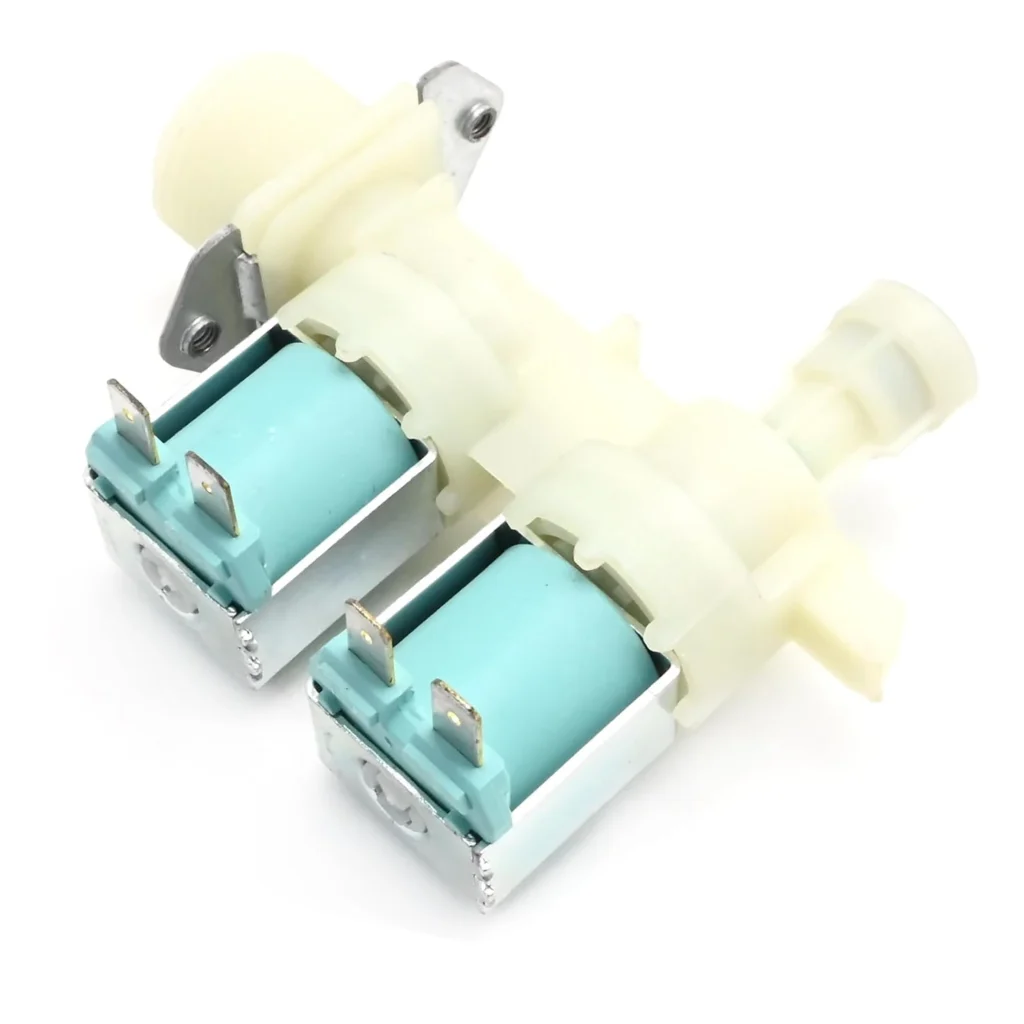
Your Samsung dryer's steam cycle stopped working, or you're pulling clothes out with random wet spots that shouldn't be there. The culprit? Most likely the DC62-30042A steam water inlet valve. This valve controls when water sprays into the drum during steam cycles, and when it fails, you'll know immediately. One user told us their original valve lasted 12 years before giving out — not bad, but when it goes, the steam function becomes useless.
This repair isn't difficult, but it does require patience. You'll need to remove several panels to access the valve, which sits behind the drum assembly. Most people complete this in about an hour once they've got the panels off, though Samsung estimates 2+ hours for the full job if you're being thorough.
What You Need Before Starting
Gather these tools before you begin:
- Nut drivers (1/4" and 5/16" most common)
- Phillips and flathead screwdrivers
- Work gloves (sheet metal edges are sharp)
- Towel (to catch residual water)
- Smartphone camera (to photograph wire connections)
Repair Time: 2+ hours for first-timers
Difficulty: Moderate — requires panel removal and wire harness work
Safety First
This isn't negotiable: unplug the dryer completely from the wall outlet. Don't just turn off the circuit breaker — physically disconnect it. Also, locate the water supply line behind your dryer (it feeds the steam function) and turn that valve to the closed position. There's always residual water in the line, so keep that towel handy. If you've got a gas dryer, shut off the gas supply valve as well, even though you won't be touching the burner assembly.
Step 1: Access the Valve Location
Pull the dryer away from the wall — you'll need about 3 feet of clearance to work comfortably. Remove the lint screen, then locate the two screws inside the lint chute opening. These secure the top panel. Once those screws are out, lift the top panel from the front and prop it against the wall. You'll see the drum, motor assembly, and along the back right side, a small solenoid valve with two wire connectors and a water line attached — that's your target.
Step 2: Disconnect Water and Electrical
Before touching anything, take a photo of how the wire harness connects. The valve has two terminals with push-on connectors — they only go on one way, but your memory isn't as reliable as a photo. Pull the connectors straight off (don't twist). Next, locate the water supply line connection. It's typically a compression fitting or push-to-connect style. Have your towel ready and disconnect the water line — expect a tablespoon or two of water to dribble out.
Step 3: Remove the Old Valve
The DC62-30042A mounts with either two screws or a metal bracket, depending on your specific model. On the DV448AEW and DV5471AEP series, it's usually two 1/4" hex screws holding the valve body to the dryer's rear panel. Remove these screws and carefully pull the valve away. The outlet side (where water exits toward the drum) may have another connection — usually a rubber hose with a spring clamp. Squeeze the clamp with pliers and slide it back, then twist the hose off.
Step 4: Install the New DC62-30042A Valve
Position your new valve exactly where the old one sat. The inlet port (where the supply line connects) should face the rear of the dryer, outlet toward the drum. Thread in your mounting screws but don't fully tighten yet — you want some wiggle room to align everything. Reconnect the outlet hose to the valve and reposition the spring clamp. Now tighten the mounting screws firmly. Reconnect the water supply line — if it's push-to-connect, you'll hear a click when it's seated. Reattach the two wire connectors, matching your reference photo.
Step 5: Reassemble and Test
Lower the top panel back into position and reinstall the two lint chute screws. Slide the lint screen back in. Turn on the water supply valve and check for leaks around the valve connections — wait 30 seconds and inspect carefully. Plug the dryer back in and run a steam cycle. You should hear the valve click open (a faint buzzing sound) about 2 minutes into the cycle. If you've got an inspection light, peek through the drum and you should see a fine mist spraying. Your clothes should come out properly steamed, not soaking wet.
Testing After Installation
Run a full steam refresh cycle with a few towels inside. The steam function should activate without any error codes appearing on the display. Check inside the drum during the cycle — you want a fine mist, not a stream of water. If you're getting heavy wet spots instead of light dampness, the valve might be stuck open or you've got a kinked outlet hose. After the cycle completes, inspect all your connections one more time for moisture. Some users report slight seepage during the first cycle as the compression fittings seat properly — this usually stops after one run.
Frequently Asked Questions
Why is my dryer showing wet spots but the steam cycle never activates?
The valve's solenoid coil has likely failed in the open position, allowing water to continuously seep through even when the steam function isn't selected. This creates random wet spots on clothes during regular drying. Replacing the valve solves this — the new solenoid will properly close when not energized.
Can I use an aftermarket valve instead of the DC62-30042A OEM part?
You can, but reliability varies wildly. As one repair tech noted, their original Samsung valve lasted 12 years, while they'd heard of third-party replacements failing within months. The OEM valve costs more upfront but it's engineered specifically for Samsung's steam pressure and cycling patterns. Generic valves might work initially but often can't handle the repeated open-close cycles.
My dryer is 8 years old — should I replace anything else while I'm in there?
Absolutely check the outlet hose that runs from the valve to the steam nozzle inside the drum. If it's brittle, cracked, or shows white mineral buildup inside, replace it now. You've already got the panels off. Also inspect the wire harness connectors for corrosion — the moisture environment around this valve can cause terminal oxidation over time. A bit of dielectric grease on the connectors during reassembly prevents future issues.
Take a photo of the wire harness connections before disconnecting anything — the valve terminals look identical but polarity matters for proper operation.
Need the part for this repair?
DC62-30042A · In Stock · Ships next business day