
How to Replace 6931EL3001F Hi-Limit Thermostat on LG Dryer — Step-by-Step
Unplug dryer completely and allow 30 minutes cooling time. Hi-limit thermostat area reaches 280°F during operation. Never bypass this safety component.
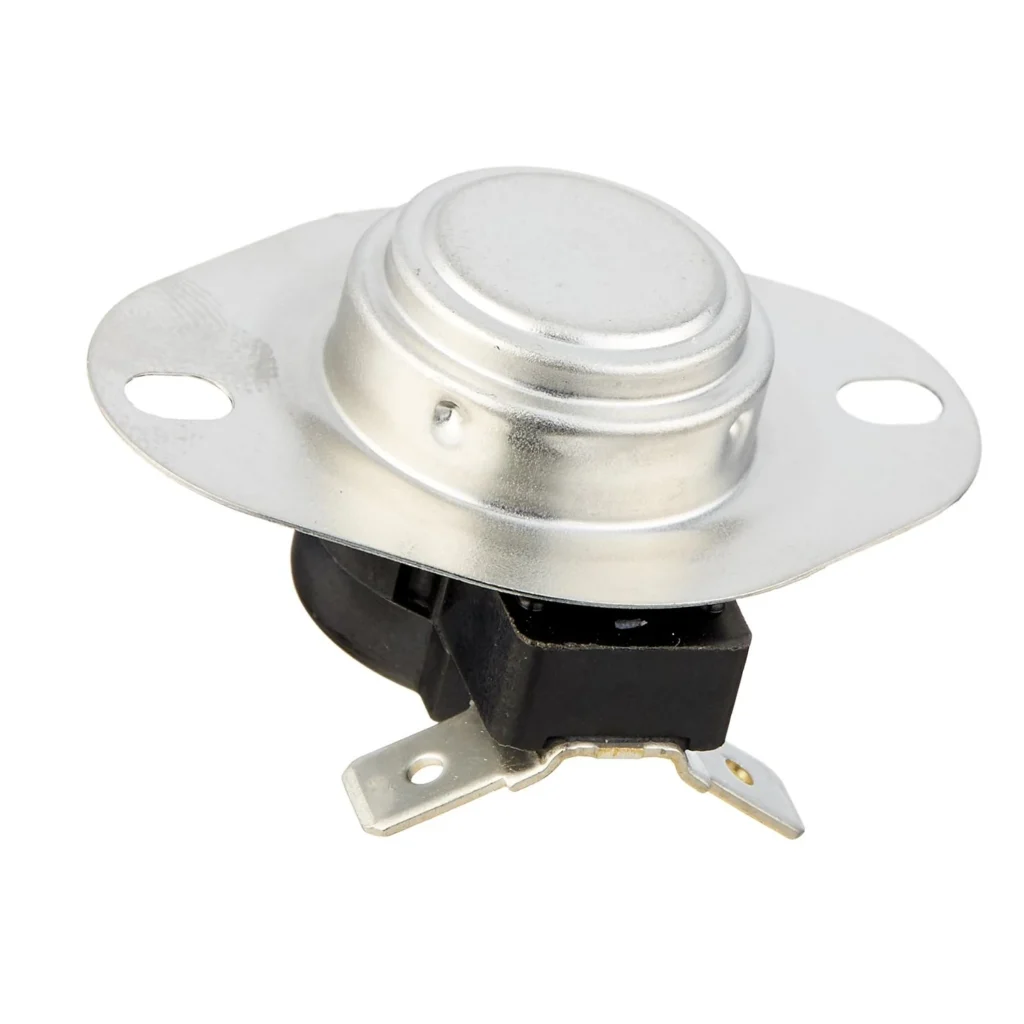
Your LG dryer just clicked off mid-cycle again. The drum's barely warm, and you know something's cutting power to the heating element. Nine times out of ten, it's the hi-limit thermostat doing its job — protecting your dryer from overheating. The 6931EL3001F hi-limit thermostat is a critical safety component that shuts down heat when temperatures exceed safe levels, usually around 280°F. When it fails in the open position, your dryer runs but produces no heat. When it cycles too frequently, you get those frustrating half-dried loads.
What You Need Before Starting
This repair takes about 30-45 minutes and requires basic hand tools you probably already own:
- ¼-inch nut driver or socket set
- Philips screwdriver
- Flat-head screwdriver (for prying clips)
- Work gloves (metal edges can be sharp)
- Flashlight or headlamp
- Multimeter for testing (optional but recommended)
Difficulty: Beginner to Intermediate — The hardest part is accessing the rear panel, not the actual thermostat swap.
Estimated Time: 30-45 minutes depending on your dryer model
Safety First
Unplug your dryer completely before starting. If you have a gas dryer, shut off the gas supply valve as well — you won't be touching gas lines, but it's standard safety protocol. The hi-limit thermostat sits near the heating element housing where temperatures can reach 280°F during operation, so make sure the dryer has been off for at least 30 minutes to cool down. Wear work gloves when handling metal panels to avoid cuts from sharp edges.
Step 1: Access the Rear Panel
Pull your dryer away from the wall — you'll need at least two feet of clearance to work comfortably. Disconnect the vent hose from the back of the dryer. On most LG models including the DLE5955W, DLE2301W, and DLEX3001W, the hi-limit thermostat mounts on the blower housing accessible from the rear. Remove the screws securing the lower rear access panel (typically 6-8 screws around the perimeter). Some models have the thermostat on the heater housing cover instead — check your specific model's configuration.
Step 2: Locate the Hi-Limit Thermostat
The 6931EL3001F thermostat is a small, disc-shaped component about the size of a quarter, usually mounted with two screws directly to the blower housing or heating element cover. It'll have two wire terminals connected to it. On LG dryers, it's typically positioned near the top or side of the blower housing. Use your flashlight to identify it — it often has a white or cream-colored plastic body with metal mounting bracket. Don't confuse it with the operating thermostat, which is usually nearby but positioned differently.
Step 3: Test the Old Thermostat (Optional But Smart)
Before you disconnect anything, you can verify the thermostat is actually bad. Pull the wire connectors off the terminals — they slide straight off, no tools needed. Set your multimeter to the lowest ohms setting (resistance). Touch the probes to each terminal on the thermostat. At room temperature, you should get a reading of zero or near-zero ohms (continuity). If you get infinite resistance (no continuity), the thermostat has failed open and needs replacement. This 30-second test confirms you're fixing the right part.
Step 4: Remove the Failed Thermostat
Disconnect both wire terminals by pulling them straight off. Take a quick photo with your phone if you're worried about remembering which wire goes where (though it doesn't actually matter for thermostats — they're not polarized). Remove the two mounting screws holding the thermostat to the housing. The screws are usually ¼-inch hex head or Phillips. Keep these screws — you'll reuse them. Gently wiggle the old thermostat free from its mounting position. There may be a small amount of thermal paste or adhesive residue where it contacted the metal — that's normal.
Step 5: Install the New 6931EL3001F Thermostat
Position the new 6931EL3001F thermostat exactly where the old one sat. The flat metal surface must make solid contact with the blower housing or heater cover — this metal-to-metal contact is how it senses temperature. Thread in both mounting screws and tighten them snug, but don't overtighten. You want firm contact, not stripped threads. Reconnect the two wire terminals by pushing them onto the thermostat terminals until they click into place. Give each wire a gentle tug to confirm they're secure. The terminals are designed to handle either wire, so don't worry about polarity.
Step 6: Reassemble and Test
Reattach the rear access panel with all its screws. Push the dryer back into position, leaving a few inches of clearance for airflow. Reconnect the vent hose and secure it with the clamp. Plug the dryer back in (and turn on the gas valve if applicable). Run a test cycle with damp towels to verify heat production. The dryer should warm up within 3-5 minutes and maintain consistent heat throughout the cycle. If it runs but produces no heat, double-check your wire connections. If it heats briefly then shuts off repeatedly, you may have additional issues like a clogged vent or failing heating element.
Testing After Installation
Run a full timed dry cycle with a small load of damp towels. Monitor the first 10 minutes to ensure the dryer heats up properly. Open the door mid-cycle — the air coming out should be noticeably hot. Check that the drum continues rotating and the dryer completes the full cycle without shutting off prematurely. If everything works normally, you're done. The hi-limit thermostat is a set-it-and-forget-it part that should last years under normal conditions.
Why Hi-Limit Thermostats Fail
The 6931EL3001F thermostat is designed to fail open as a safety feature — when it trips too many times or ages out, it stays open permanently, cutting power to the heating element. The most common cause isn't a defective thermostat but a clogged dryer vent forcing the unit to overheat repeatedly. Each time temperatures exceed 280°F, the bi-metal disc inside flexes and resets. After hundreds of cycles, the metal fatigues and fails. Before you replace this thermostat, clean your entire vent system from the dryer to the outside termination. A clean vent prevents premature failure of your new thermostat.
Compatible LG and Kenmore Models
This thermostat works with dozens of LG and Kenmore Elite dryers. Confirmed compatible models include DLE5955W, DLE5955G, DLE2301W, DLE2601W, DLEX2501W, DLEX3001W, DLEX3360W, DLEX3875W, and many others. It replaces part numbers AP5072172, PS3530482, 1377779, and AH3530482. If you're not sure about your model, check the tech sheet taped inside the dryer cabinet (usually behind the lint filter or on the back panel) or look up your model number on the LG parts website.
Frequently Asked Questions
Can I bypass the hi-limit thermostat if I don't have the replacement part yet?
Absolutely not. The hi-limit thermostat prevents fires by cutting power when temperatures get dangerously high. Bypassing it turns your dryer into a potential fire hazard. If the thermostat has failed and you need to do laundry, use air-dry or fluff mode until the replacement arrives. Most suppliers ship the 6931EL3001F within 2-3 days, and paying for expedited shipping is cheaper than rebuilding your house after a dryer fire.
How do I know if it's the hi-limit thermostat or the operating thermostat that's bad?
The operating thermostat (cycling thermostat) regulates normal drying temperatures and cycles on and off throughout the cycle. The hi-limit is a safety backup that only opens when things get too hot. If your dryer produces no heat at all, it's usually the hi-limit that's failed open. If your dryer heats inconsistently or takes forever to dry clothes, suspect the operating thermostat. When in doubt, test both with a multimeter — they should show continuity (zero ohms) at room temperature.
I replaced the thermostat but my dryer still won't heat — what now?
First, verify your wire connections are solid and you didn't accidentally leave one disconnected. Second, check the thermal fuse (usually located on the blower housing near the thermostat) — it's a one-time fuse that fails open and won't reset. Third, test the heating element itself for continuity. If the element has broken, replacing thermostats won't help. Also verify you're getting proper voltage to the dryer — electric dryers need 240V, and a tripped breaker or blown fuse can result in a dryer that runs but doesn't heat.
Clean your entire dryer vent system before installing the new thermostat to prevent premature failure from overheating cycles
Need the part for this repair?
6931EL3001F · In Stock · Ships next business day