
How to Replace 4389102 Ice Maker Optic Emitter & Receiver Control Board on Whirlpool Refrigerators — Step-by-Step
Turn off ice maker power or unplug refrigerator before starting work to prevent cycling during repair
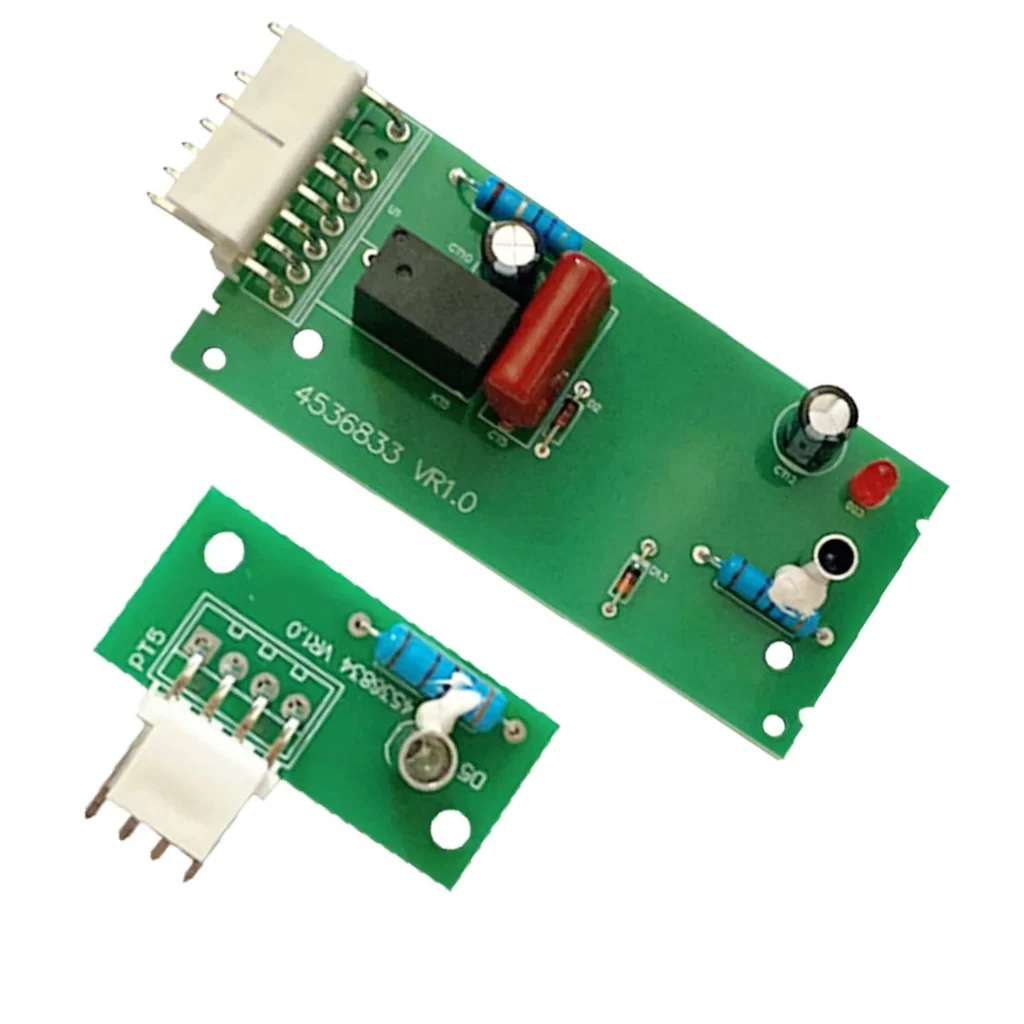
Your Whirlpool refrigerator's ice maker suddenly stopped mid-cycle, leaving you with a half-full bin and no new ice production. The culprit? The optic emitter and receiver control board has failed. This small circuit board uses infrared sensors to detect ice levels, and when it goes bad, your ice maker either won't make ice at all or keeps running until ice spills over the bin. If you've got a KitchenAid KSRG25FVMS01, Whirlpool ED5FHAXSL02, or Kenmore 10659963804, this repair takes about 20 minutes and doesn't require any special skills.
What You Need Before Starting
This is one of the simpler refrigerator repairs you'll tackle. Here's what to grab:
- Phillips screwdriver
- Flathead screwdriver (for wire harness release)
- Flashlight or headlamp
- Towel (to catch any ice that falls)
Time required: 15-25 minutes
Difficulty: Easy
Safety First
You don't need to unplug the refrigerator for this repair, but it's smart practice. The ice maker operates on low voltage, but disconnecting power prevents the ice maker from trying to cycle while you're working. If you choose to leave it plugged in, at least flip the ice maker's power switch to OFF. Keep a towel handy because you'll likely have ice fall when you remove the bin and start working.
Step 1: Remove the Ice Bin and Locate the Control Board
Pull out the ice bin completely — it should lift straight up and out once you've emptied it. Look at the left side of the ice maker assembly inside the freezer. You'll see a small rectangular module about 2 inches long with two wire connectors attached. That's your optic emitter and receiver board — the part that's been causing your ice maker problems.
Step 2: Disconnect the Wire Harnesses
There are two wire connectors plugged into the control board. Press the release tab on each connector while gently pulling straight out. They're snug, but they shouldn't require force. If you're having trouble seeing in the freezer, use your flashlight to spot the release tabs. Note which connector goes where — though they're usually keyed differently, so you can't mix them up.
Step 3: Remove the Old Control Board
The board is held in place by two plastic clips or tabs. On most Whirlpool and KitchenAid models, you'll need to squeeze these tabs inward while sliding the board out of its housing. Some versions have a single screw instead — if yours does, remove it with your Phillips screwdriver first. The board should slide right out once released. Check the old board for any visible burn marks or corrosion around the sensor windows.
Step 4: Install the New 4389102 Control Board
Slide your new control board into the mounting bracket until you hear it click into place. The sensor windows (two small clear or tinted areas on the board) should face into the ice bin area — they need a clear view to detect ice levels. Make sure the board sits flush and isn't crooked in its housing. If there was a mounting screw, reinstall it now.
Step 5: Reconnect the Wires and Test
Plug both wire harnesses back into the control board until they click. Give each one a gentle tug to confirm they're seated properly. Replace the ice bin, making sure it's positioned correctly so it doesn't block the sensor's view. Turn the ice maker back on (or plug the fridge back in), then wait about 90 minutes. You should hear the ice maker cycle and see the first batch of ice drop into the bin. The optic sensors need one full cycle to calibrate themselves to your ice bin.
Testing After Installation
Don't expect instant ice. The first cycle takes about 90 minutes from a cold start. After the first batch drops, check that the ice maker stops producing ice when the bin is full. This confirms the optical sensors are working correctly. If your ice maker was dispensing too much ice before, you'll notice it now stops at the proper level. Some models have a test button you can press to force an immediate cycle — check your ice maker's side panel for a small button or switch.
Frequently Asked Questions
Will this board work on my KitchenAid KSRS27IKSS02?
Yes, the 4389102 control board is compatible with that model. It replaces part numbers W10757851, W10290817, and 2198586 across Whirlpool, KitchenAid, Kenmore, and Maytag refrigerators. If your model number is ED5FHAXSL02, ED5FHAXSQ01, KSCS25INSS00, or dozens of others in the compatible list, you're good to go.
Why does my ice maker keep running after I replaced the board?
The sensors need to "see" ice in the bin to know when to stop. Make sure the ice bin is properly seated and not blocking the sensor windows. Also check that you didn't install the board upside down or backwards — the sensor windows must face the ice bin area. If you've confirmed all that and it's still running, you might have an ice bin that's warped or positioned incorrectly.
Can I replace just the emitter or just the receiver?
No, the 4389102 is sold as a complete kit for a reason. The emitter and receiver are calibrated as a matched pair. Trying to replace one without the other usually results in continued ice maker problems. Plus, if one sensor failed, the other isn't far behind. Replace them together and be done with it.
Use a flashlight to clearly see the wire harness release tabs in the dark freezer compartment
Need the part for this repair?
4389102 · In Stock · Ships next business day