
How to Extend Your GE Dryer Timer Knob Life — Maintenance Guide
Always unplug the dryer before removing or inspecting the timer knob to avoid accidental cycle starts. Never force a stuck knob — you risk breaking the timer shaft, which requires replacing the entire timer assembly.
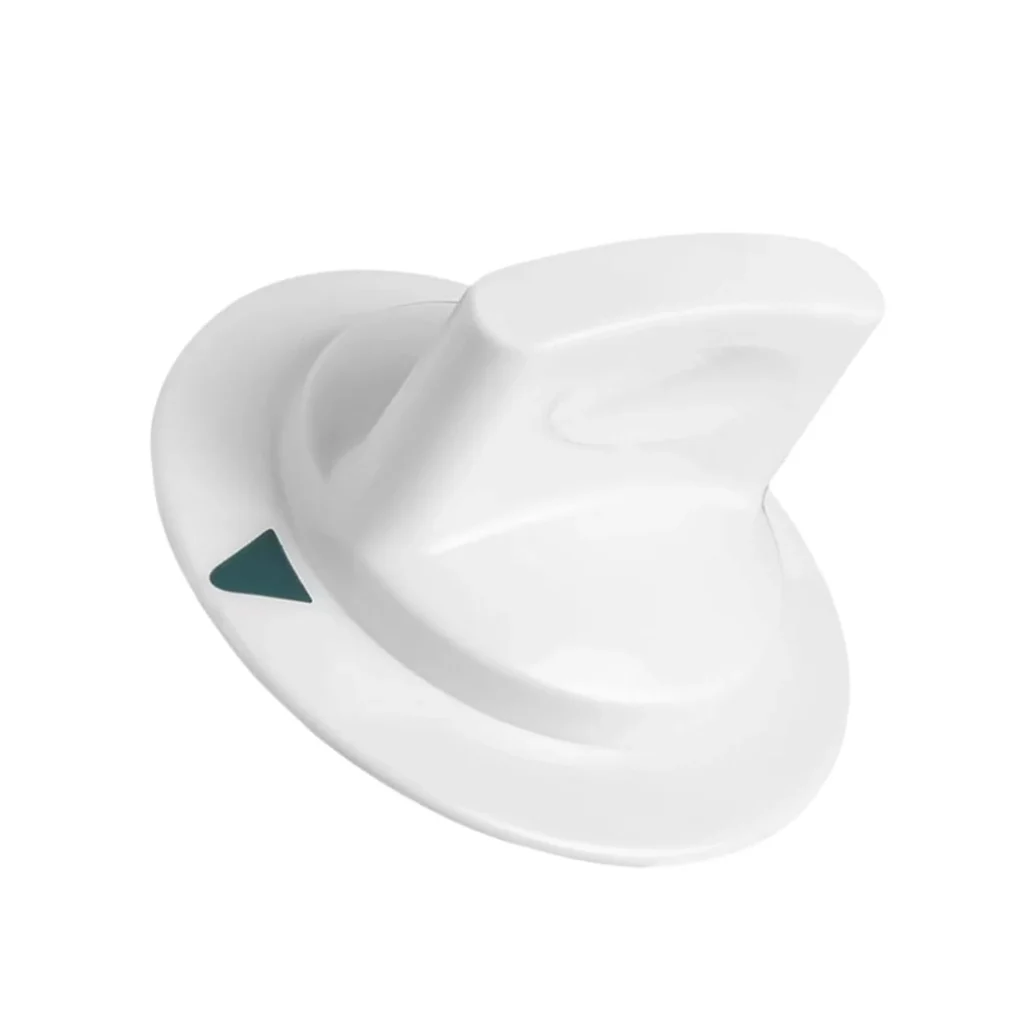
Most dryer timer knobs last 8-10 years, but the WE1M652 knob on GE, Hotpoint, and RCA dryers often fails within 4-5 years. Why? Because it's one of the most-touched parts on your appliance, getting twisted, yanked, and occasionally smacked when the dryer won't start. Let's fix that.
How Long Should It Last?
The WE1M652 timer knob itself is just molded plastic with a D-shaped insert that grips the timer shaft. Under normal use, it should last the life of your dryer — 12-15 years. But "normal use" doesn't account for wet hands, kids spinning it like a toy, or the frustrated yank when your HTDP120ED5WW won't start.
What actually wears out:
- The D-shaped socket inside strips out from over-torquing
- The plastic cracks from temperature cycling in the laundry room
- The knob loosens and spins freely without engaging the timer shaft
- Surface wear makes the cycle markings illegible
With proper care, you'll get 10-12 years. Without it? You're replacing this every 3-4 years.
Signs It's Wearing Out
Don't wait for complete failure. Catch these early warning signs:
Timer Not Working Properly
The knob turns, but the timer doesn't advance or the dryer won't start at the position you selected. This typically means the D-shaped socket inside has worn down and isn't gripping the timer shaft anymore. You'll feel more play or looseness when you turn it.
Test it: gently try to pull the knob straight off while turning it slightly. If it slides off easily, the internal grip is shot.
Knob Spins Freely
This is the end stage. The knob rotates a full 360 degrees without resistance, like a wheel that's lost its axle. The D-shaped insert has completely stripped. Your dryer might still technically work if you can manipulate the timer shaft directly, but that's not a long-term solution.
Visible Cracks or Stress Marks
Look closely at the base where the knob meets the control panel. Hairline cracks here spread fast, especially on Hotpoint models like the HTDP120GD series where the control panel runs hotter. Once you see cracks, you've got maybe 2-3 months before catastrophic failure.
Daily Habits That Kill Your Timer Knob
Stop doing these and you'll double its lifespan:
Yanking it to start the dryer. The timer mechanism needs a firm turn, not a jerk. If your dryer won't start, the problem isn't that you didn't pull hard enough — it's likely the door switch or a blown thermal fuse.
Turning it with wet hands. Water weakens the plastic and accelerates micro-cracking. Dry your hands first. Takes two seconds.
Stopping mid-cycle by grabbing and twisting. Use the proper cycle interrupt button if your model has one. If it doesn't, turn the knob gently to the off position — don't force it backward against the timer's rotation.
Leaving wet towels on top. Moisture condenses on the control panel, seeps around the knob base, and corrodes the timer shaft. Wipe down your dryer top after transferring loads.
Monthly Maintenance Checklist
Takes 90 seconds:
Clean around the base. Lint and detergent residue build up where the knob meets the panel. Use a dry toothbrush to clear it out. Don't use cleaners — they can seep inside and gum up the timer mechanism.
Check for play. Gently wiggle the knob side-to-side. A tiny bit of movement is normal. If it wobbles like a loose tooth, the socket's wearing out.
Test the resistance. Turn through a full cycle. It should feel consistent — no sticky spots, no sudden looseness. Changes in resistance mean the internal mechanism is degrading.
When to Replace vs Maintain
Replace immediately if:
- The knob spins freely without engaging the timer
- You see cracks at the base
- The D-shaped socket is visibly stripped (pull it off and look)
- The dryer won't start even though the timer shaft turns
Keep maintaining if:
- It's just loose but still functional (you can often tighten the grip)
- The markings are worn but the mechanism works
- There's minor surface wear but no structural damage
Here's the thing about the WE1M652: it's a $9.99 part. If you're questioning whether it needs replacement, just replace it. The 20 minutes of frustration when it fails mid-load costs more than the part.
Frequently Asked Questions
Can I use super glue to fix a loose timer knob?
No. Tempting, but no. Super glue makes the knob permanent, which means when the actual timer mechanism fails (and it will), you'll need to break the knob to access it. Plus, the glue can seep into the timer and cause bigger problems. If it's loose enough to need glue, the D-shaped socket is already compromised — replace the knob.
Why does my timer knob feel sticky in summer?
Heat and humidity cause the plastic to expand slightly. If your laundry room gets above 85°F, the knob can bind against the control panel faceplate. This is normal but accelerates wear. Solution: improve ventilation or run a small fan in the laundry room during summer months. Don't force a sticky knob — let it cool down first.
Will a generic timer knob work instead of the WE1M652?
Depends on your model. The WE1M652 is specifically designed for GE, Hotpoint, and RCA dryers with a particular D-shaft diameter and marking layout. Generic knobs often have slightly different internal dimensions — they'll fit on the shaft but won't grip properly, leading to the same "won't start" symptoms you're trying to fix. Stick with the OEM part number or verified equivalents like AP3995164.
Element showing wear?
WE1M652 · Replace before it fully fails