
How to Extend Your KitchenAid Worm Gear Life — Maintenance Guide
Always unplug the mixer before inspecting or servicing internal parts. The worm gear is located near moving components that can cause injury if the mixer powers on unexpectedly.
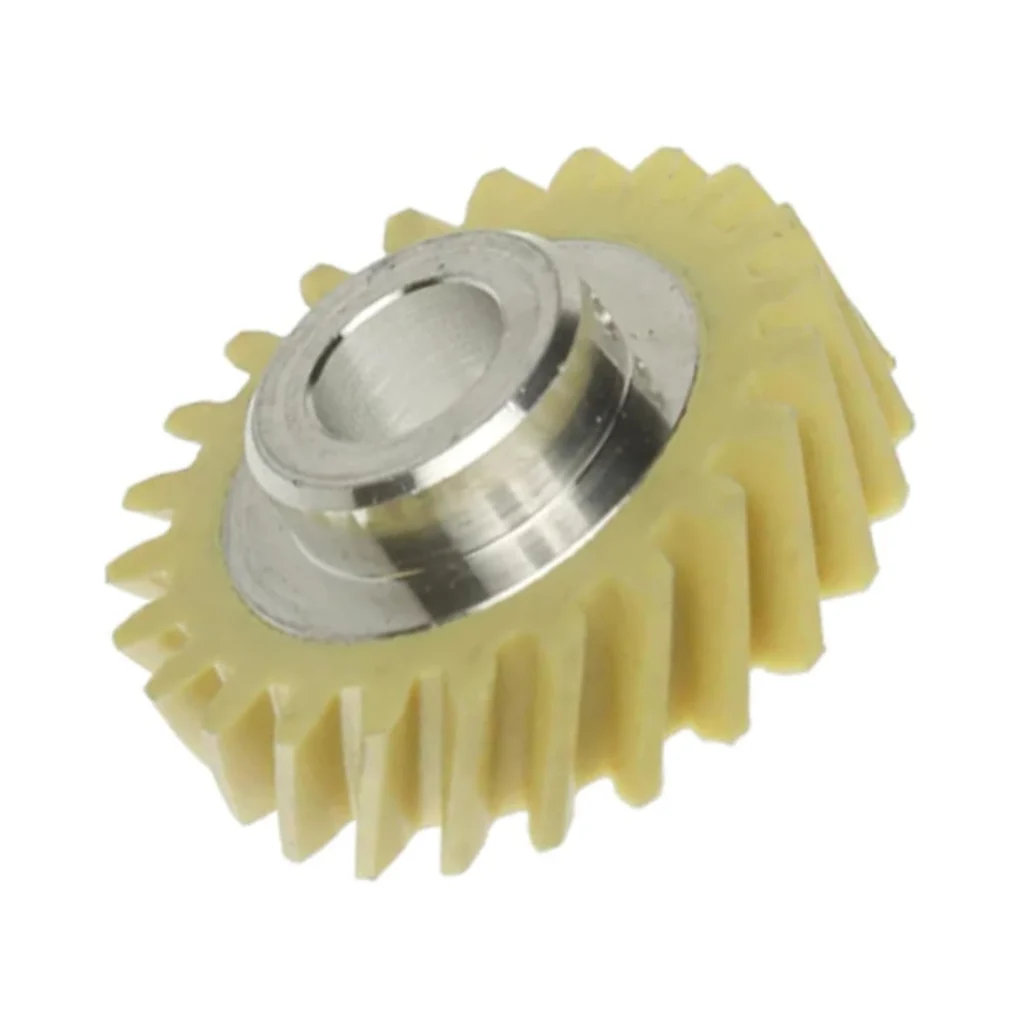
Here's the reality: the W10112253 worm gear in your KitchenAid mixer is designed to fail. It's engineered as a sacrificial part — a $15 piece of plastic that breaks before a $300 motor does. Most owners get 5-7 years before it strips out. With proper maintenance? You can push that to 10-12 years, sometimes longer.
I've replaced hundreds of these gears. The ones that last longest all have one thing in common: their owners understood what kills this part and adjusted their mixing habits accordingly.
How Long Should Your Worm Gear Last?
Without maintenance: 5-7 years of typical home use. That's about 200-300 mixing sessions before you hear that telltale sound — motor running, but the planetary head doesn't rotate.
With proper care: 10-12 years or more. I've seen gears on 15-year-old KSM150 models still going strong because their owners followed three simple rules.
What affects lifespan:
- Load frequency — Heavy bread dough weekly versus occasional cake batter makes a massive difference
- Grease condition — Old, dried-out grease creates friction that accelerates wear
- Overloading — The #1 killer. Running stiff dough for 10+ minutes straight
- Bowl jamming — Foreign objects catching the beater, as one user learned: "Our mixer stopped operating due to the blade getting jammed on an item that should not have been in the mixing bowl. All my fault."
Signs It's Wearing Out
The worm gear doesn't fail suddenly. It telegraphs its decline if you know what to listen and feel for.
Motor Runs But Mixer Doesn't Turn
This is the classic failure mode. You hit the switch, hear the motor humming, but the dough hooks won't rotate. The plastic teeth have stripped completely. One owner described it perfectly: "After a 10 min bread dough knead with the hook attachment, the hook stopped spinning, but I could hear the motor continuing to try."
If you're at this stage, maintenance won't help — you need a replacement. But before this happens, you'll notice...
Increased Resistance When Starting
The mixer hesitates for a split second before engaging. Or you need to "give it a helping hand" to get started. As one user mentioned: "I think I need to replace the plastic sacrifice cog as my mixer won't turn on less. I'll give it a helping hand."
That resistance means teeth are partially worn. You've got maybe 20-30 more uses before complete failure.
New Grinding or Clicking Noises
Your mixer's always made some noise. But if you hear new grinding, clicking, or chattering sounds — especially under load — the gear teeth are skipping or chipping. Don't ignore this. Stop immediately and inspect.
Maintenance Schedule That Actually Works
After Heavy Dough Sessions (Immediately)
If you've just finished kneading bread dough or working stiff cookie dough for more than 5 minutes, let the mixer rest for at least 15 minutes before using again. The gear needs time to cool. Back-to-back heavy loads generate heat that softens the plastic.
Every 6 Months (or 50 Uses)
Check grease condition without full disassembly:
- Tilt the mixer head back
- Look where the planetary shaft enters the head housing
- If you see dried, crusty grease around the opening, it's time for service
Fresh food-grade grease reduces friction by 60-70%. Old grease might as well be glue.
Every 2-3 Years (or 200 Uses)
Complete grease replacement. This requires partial disassembly, but it's the single most effective preventive measure. As installation notes emphasize: "Remove all the old grease and replace it with new food grade grease to prevent debris from working back into moving parts."
You'll need basic tools — pliers, screwdrivers, and a socket set. Budget 30-60 minutes. The hardest part? Getting the retaining pin out that locks the gear in place. As one repair tech noted: "Hard part is to remove the pin locks the gear. Need to have good tool to hammer the pin out."
What Really Kills This Gear
Let's be specific. The worm gear strips when you exceed these limits:
- Dough capacity — More than 8 cups flour in tilt-head models (KSM150, K45, K5). More than 12 cups in bowl-lift models
- Continuous run time — More than 8-10 minutes on speed 2 with heavy dough. The motor heats up, housing expands slightly, gears misalign
- Speed abuse — Starting on speed 4+ with thick batter. Always start on speed 1-2, then increase
- Bowl interference — Beater hitting bowl edge or foreign objects. This is the "jammed blade" scenario that breaks gears instantly
When to Replace vs Maintain
Be honest with yourself. If you're seeing any of these, maintenance won't save it:
- Motor runs, planetary doesn't turn (complete strip)
- Visible tooth damage when you inspect the gear
- Metal shavings in the old grease (means metal gears are also damaged)
The good news? Replacement is straightforward. As one DIYer said: "I followed the ereplacementparts.com Youtube video and am so thankful for it! You saved me the cost of a new KitchenAid."
The W10112253 fits dozens of KitchenAid models — KSM150PSMH0, KSM150PSBV0, KSM153PSQMY0, KSM153PSQGA0, and many others. It's a universal tilt-head and bowl-lift part.
Frequently Asked Questions
How do I know if it's the worm gear or something else causing my mixer to stop spinning?
If the dough hooks won't rotate but you hear the motor trying, it's likely the worm gear, the planetary drive gear, or the retainer pin. You'll need to dismantle the mixer head to verify which part failed. The worm gear is the most common culprit because it's designed to fail first. If you see stripped plastic teeth, that's your answer.
Can I just replace the plastic worm gear without servicing the rest?
You can, but you shouldn't. If you're already in there replacing the stripped worm gear, take the extra 10 minutes to clean out all the old grease and repack with fresh food-grade lubricant. Old grease mixed with plastic debris will chew through your new gear in half the time. One technician's advice: "Remove all the old grease and replace it with new food grade grease to prevent debris from working back into moving parts."
My mixer makes noise but still works — do I need to replace the gear now?
Not immediately, but soon. New grinding or clicking sounds mean the gear teeth are wearing. You probably have 20-50 more uses before total failure. Order the W10112253 now so you have it on hand. Keep mixing sessions short and avoid heavy dough until you can replace it. If the noise gets louder or the mixer starts slipping under load, stop using it completely.
Element showing wear?
W10112253 · Replace before it fully fails