
How to Extend Your Dryer Terminal Block Life — Maintenance Guide for Whirlpool & Kenmore
Always disconnect power before inspecting terminal block. Wait 5 minutes after unplugging to allow capacitors to discharge. If you see any melted plastic or burn marks, replace immediately—do not attempt to reuse damaged components.
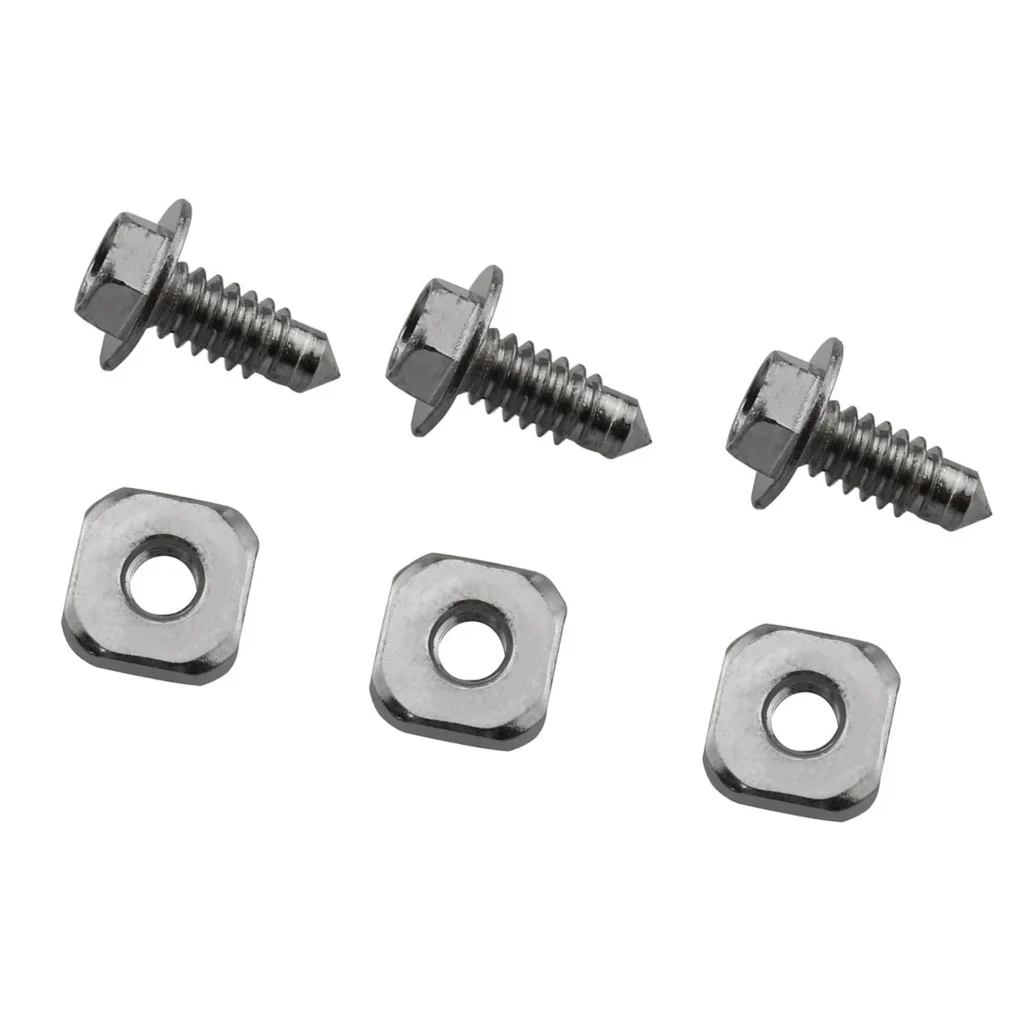
Here's something most people don't know: the terminal block in your Whirlpool or Kenmore dryer—that unassuming cluster of screws where the power cord connects—is one of the most common fire hazards in your laundry room. Insurance adjusters see it all the time. A loose connection creates heat, heat melts plastic, and suddenly your Kenmore 110.6092299 is smoking from the back panel.
The terminal block screw kit (part 279393) doesn't wear out from use—it fails from neglect. Specifically, from loose connections that go unchecked for years.
How Long Should It Last?
A properly maintained terminal block should last the lifetime of your dryer—15 to 20 years. But here's the reality: most fail between years 8 and 12, not because the components wear out, but because the electrical connections gradually loosen from thermal expansion and vibration.
Every time your dryer heats up, the metal terminals expand slightly. When it cools, they contract. Over thousands of cycles, this movement loosens the screws. A loose screw increases electrical resistance. Higher resistance creates heat. Heat accelerates the loosening. It's a slow-motion failure that ends with melted plastic and a service call.
What affects terminal block lifespan:
- Power cord quality: Cheap cords with undersized wire gauge create excessive heat even when connections are tight
- Installation torque: Under-tightened screws fail early; over-tightened screws strip threads and also fail
- Dryer usage: Heavy use (daily loads) means more thermal cycles and faster loosening
- Environmental factors: Humid laundry rooms accelerate corrosion on connection points
- Maintenance frequency: Checked connections last 2-3x longer than neglected ones
Signs It's Wearing Out
The terminal block doesn't just fail overnight. It gives you warnings—if you know what to look for. These signs appear weeks or months before complete failure.
Burning Smell During or After Drying
This is the earliest warning. You'll notice it when you open the dryer door or walk into the laundry room. It's not the normal hot-fabric smell—it's acrid, like burning plastic or electrical insulation. The smell comes from overheating at the terminal connections, often before you can see any damage. If your Kenmore 10686294840 or Whirlpool dryer smells like burning plastic, unplug it immediately and check the terminal block.
Discolored or Melted Terminal Block Housing
Pull your dryer out and remove the back panel. Look at the terminal block where the power cord connects. Healthy terminals are white or cream-colored plastic. Problem terminals show brown heat discoloration, black burn marks, or partially melted plastic around the screws. Once you see melting, the damage is done—that terminal block needs replacement, not maintenance.
Intermittent Power Loss or Dryer Won't Start
A loose terminal connection can cause sporadic behavior. The dryer works fine one day, then won't start the next. Or it runs for 10 minutes and shuts off randomly. These symptoms point to a connection that's barely making contact. The loose connection arcs—creating momentary disconnects—before finally failing completely.
Visible Corrosion on Terminal Screws or Wires
Green or white powdery buildup around the terminal screws indicates corrosion. This creates resistance even if the screws are tight. Corroded connections need to be cleaned (if minor) or replaced (if advanced). Corrosion is common in basement laundry rooms with poor ventilation.
When to Replace vs Maintain
Here's the honest assessment most repair techs won't tell you: if you're opening the dryer for the first time and the terminal block looks fine—just dusty—tighten the screws and call it maintenance. But if you see any of these conditions, you're past the maintenance stage:
Replace immediately if you see:
- Any melted plastic on the terminal block housing
- Black burn marks on wires or terminals
- Cracked or brittle terminal block plastic
- Stripped screw threads that won't hold torque
- Severe corrosion that doesn't clean off easily
Maintenance is appropriate if:
- Terminal block looks structurally sound (no melting or cracks)
- Only light surface corrosion present
- Screw threads are intact
- Wire insulation shows no heat damage
- You're performing routine preventive maintenance
The 279393 terminal block screw kit costs $29.99—cheap insurance compared to a house fire or a $400 service call. When in doubt, replace it. This isn't the place to gamble on "it looks okay."
Frequently Asked Questions
How often should I check my dryer terminal block connections?
Check them annually if you use your dryer daily, every 18 months if it's light use. The inspection takes 10 minutes: unplug the dryer, remove the back panel, and verify the terminal screws are snug. While you're there, look for discoloration or damage. If you've never checked yours and your dryer is over 5 years old, do it this weekend.
Can I use the same terminal block screws after replacing the block?
No. The 279393 kit includes new screws for a reason—the old screws have been through thousands of thermal cycles. Their threads may look fine but could be work-hardened or slightly deformed. New screws ensure proper torque and electrical contact. Always use the screws that come with the replacement terminal block kit.
Will a loose terminal block trip my circuit breaker?
Usually not—that's why it's dangerous. A loose connection creates heat through resistance, but typically doesn't draw enough extra current to trip a breaker. The circuit breaker protects against shorts and overloads, not high-resistance connections. Your dryer can operate normally while the terminal block slowly melts. That's why visual inspection and preventive maintenance are critical—you can't rely on the breaker to warn you.
Element showing wear?
279393 · Replace before it fully fails