
How to Replace WD-5470-09 Drain Pump on GE & Haier Washing Machines — Step-by-Step
Unplug washer completely and shut off water supply before starting. Expect water spillage when disconnecting pump hoses — have towels ready.
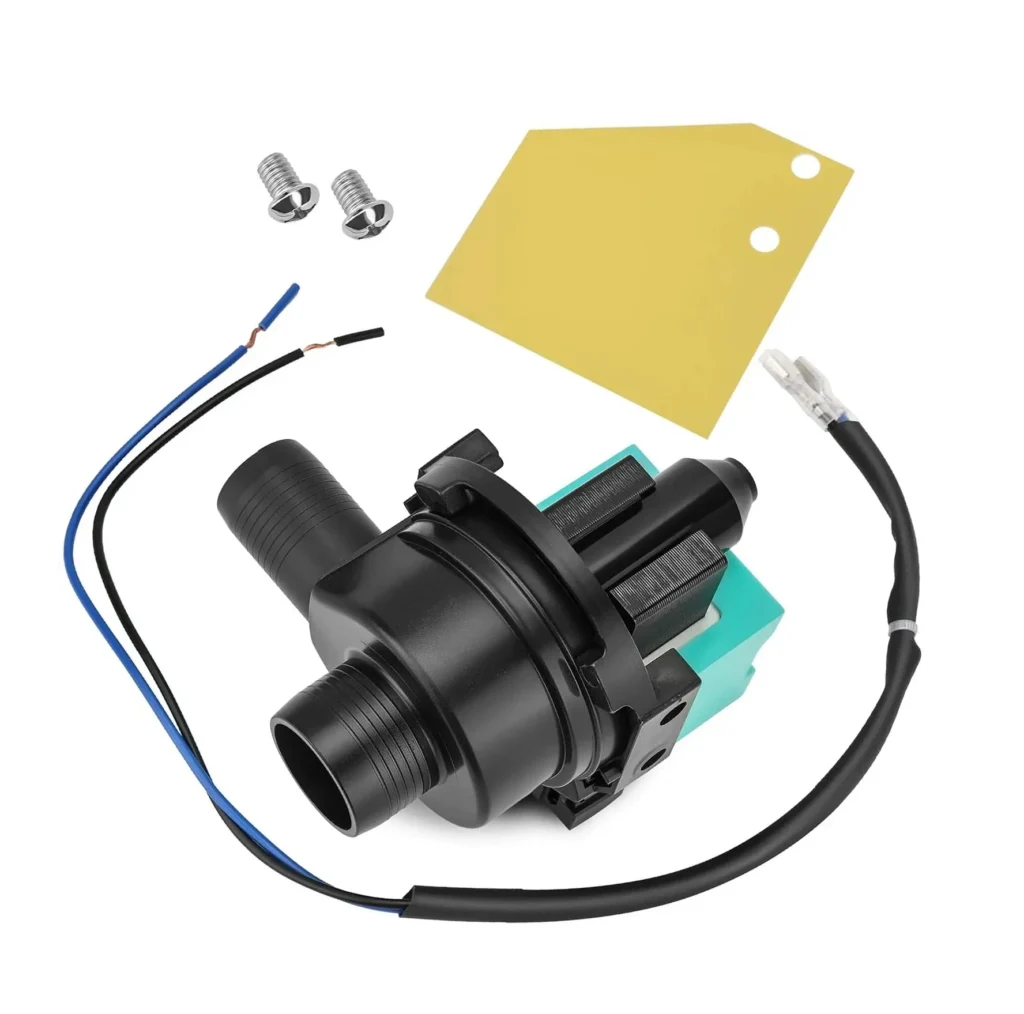
Your GE or Haier washer finished the cycle, but there's still water sitting in the drum. You hear a humming sound during the drain cycle, or maybe nothing at all. You've checked the filter, cleared the drain hose, but water just won't pump out. Nine times out of ten, you're looking at a failed drain pump, and the WD-5470-09 is your fix.
This pump (replaces WH23X27419, AP6328341, PS12343437, and 4588221) works across dozens of GE and Haier models including the GWT450AW, GWT480BW, HLP24E, RWT350AW, and XQB6091AF series. If you've got a puddle under your washer or clothes coming out soaking wet, let's get this sorted.
What You Need Before Starting
Gather these tools before you crack open the cabinet:
- Adjustable pliers or channel locks
- Phillips screwdriver
- Flat-head screwdriver (for clamps)
- Shallow pan or towels (for water spillage)
- 5/16" or 1/4" nut driver (depending on your model)
- Headlamp or work light
Repair Time: 30-45 minutes
Difficulty: Moderate — You'll need to tip the washer or remove the front panel
Safety First
Unplug the washer completely before starting. Don't just turn off the dial — pull the plug from the wall. If your model is hard-wired, flip the breaker. Turn off both hot and cold water supply valves behind the machine. Expect at least a quart of water to spill when you disconnect the pump, so have towels ready. The pump housing can have sharp edges where hose clamps attach, so watch your knuckles.
Step 1: Access the Pump Assembly
For most Haier and GE top-loaders using this pump, you'll access it from underneath. Slide the washer away from the wall and disconnect water lines. Carefully tip the washer back against the wall at a 45-degree angle — have a helper steady it or prop it with a sturdy box. The drain pump sits at the bottom front, usually visible once you're looking up at the underside. Some front-load models require removing the front access panel instead, secured by screws along the bottom edge.
Step 2: Drain Remaining Water and Disconnect Hoses
Place your shallow pan under the pump. You'll see two or three hoses connected: the main drain hose from the tub, the pump outlet hose, and possibly a smaller recirculation line. Use pliers to squeeze and slide the spring clamps back along each hose. Twist and pull the hoses off the pump barbs — water will spill, that's normal. If the clamps are the screw type, use your flat-head screwdriver to loosen them first. Have towels ready because even a "drained" washer holds trapped water in these lines.
Step 3: Disconnect the Wire Harness
The pump motor has a wire connector, usually a two-prong plug with a locking tab. Press the release tab and pull straight off — don't yank on the wires themselves. Some models have the connector zip-tied to the mounting bracket, so snip that first. Take a quick photo with your phone before disconnecting if you're worried about remembering which wire goes where, though the connector only fits one way.
Step 4: Remove the Old Pump
The WD-5470-09 pump mounts to the washer base with three or four bolts or screws, depending on your model. They're typically 5/16" hex head or Phillips screws. Support the pump with one hand while you remove the last fastener — it's heavier than it looks and you don't want it dropping onto your hand. Once the fasteners are out, rotate and maneuver the pump assembly down and out. The motor housing might catch on surrounding brackets, so wiggle it a bit.
Step 5: Install the New WD-5470-09 Pump
Before mounting, compare the old and new pumps. The inlet and outlet positions should match exactly. Position the new WD-5470-09 in place, aligning the mounting holes. Thread in the mounting bolts hand-tight first, then snug them down with your driver — don't overtighten or you'll crack the plastic housing. Reconnect the wire harness until you hear the locking tab click. Slide the hoses back onto the pump barbs, pushing them on firmly until they seat against the raised ridge. Reposition the hose clamps about 1/2 inch from the end of each hose and squeeze them tight.
Step 6: Test the Installation
Lower the washer back to the floor (get help if you tipped it) and slide it mostly back into position, but leave enough room to check for leaks. Reconnect the water supply lines. Plug the washer back in. Run a drain and spin cycle without clothes. Watch the pump area closely during the first drain — you're checking for water leaks around the hose connections. Listen for the pump motor — it should run smoothly without grinding or squealing. If water drains properly and nothing leaks, you're done.
Testing After Installation
After your initial test drain works, run a complete wash cycle with a small load. Check underneath one more time during the drain cycle to confirm all connections are sealed. If you notice water seeping from a hose connection, power down and tighten that clamp another notch. The pump should run for 3-5 minutes during the drain cycle, and you shouldn't hear any unusual grinding or rattling. Once clothes come out properly spun and no water remains in the tub, your installation is solid.
Frequently Asked Questions
Will this pump work on my GE GTW model washer?
The WD-5470-09 is designed specifically for certain GE, Haier, and Hotpoint models. Check your model number against the compatibility list on the product page. If your original pump has part numbers WH23X27419, AP6328341, PS12343437, or 4588221, this is your direct replacement. GE GTW models vary, so verify before ordering.
Why does my washer hum but not drain after installing the new pump?
If the pump hums but doesn't move water, you've likely got a clog in the drain hose or pump outlet, or the hoses are connected backward. Double-check that the tub hose connects to the inlet side and the drain hose to the outlet. Also verify the pump impeller can spin freely — sometimes shipping debris gets lodged inside. Disconnect power, remove the outlet hose, and manually rotate the impeller through the opening.
How do I know if my pump is bad or if it's just a clogged drain?
Before replacing the pump, always check for clogs first. Disconnect the drain hose and see if water flows freely from the tub. Clean the pump filter (usually behind a small access door at the front bottom). If water still won't drain and the pump doesn't make any sound when the washer tries to drain, the pump motor is likely dead. If it hums loudly but doesn't pump, the impeller might be jammed or broken — either way, you need a new pump.
Take a photo of wire connections before disconnecting. When tipping the washer back, use a sturdy box or have a helper to prevent it from falling.
Need the part for this repair?
WD-5470-09 · In Stock · Ships next business day