
How to Replace DD94-01002A Dishwasher Mounting Bracket on Samsung — Step-by-Step
Disconnect power at the circuit breaker and turn off water supply before starting — don't just unplug the unit.
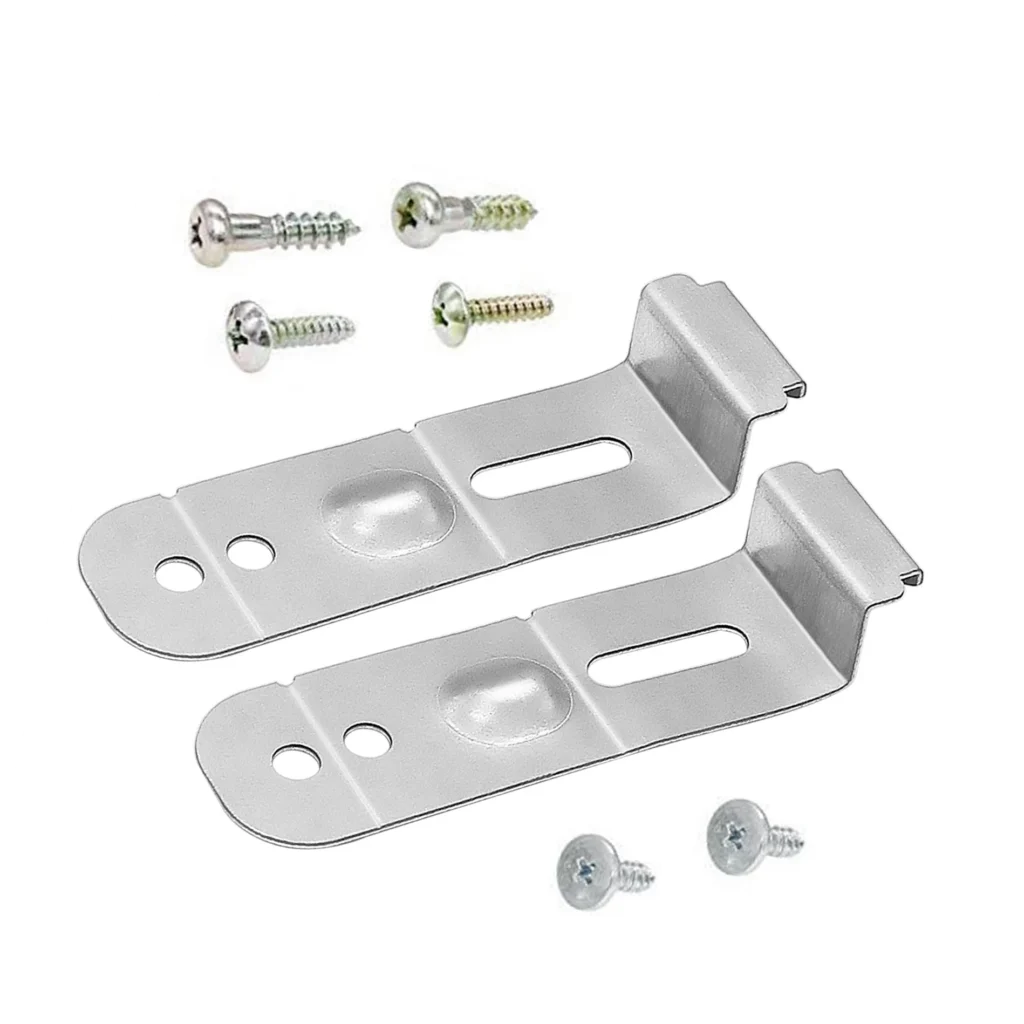
Your Samsung dishwasher is sliding forward every time you open the door, or worse — it's starting to tilt away from the counter. The mounting bracket kit is what anchors your dishwasher to the underside of your countertop, and when it fails or goes missing during a kitchen remodel, you'll notice immediately. This is especially common on models like the DW80F600UTB/AA and DW80K5050US/AA after someone's removed the dishwasher for flooring work and didn't reinstall the brackets properly.
What You Need Before Starting
This installation kit includes everything you need to secure your dishwasher to the countertop. Here's what you'll want on hand:
- Phillips head screwdriver
- Adjustable wrench or socket set
- Level (to check alignment)
- Flashlight or headlamp
- Towel or cardboard (to protect your floor)
Estimated Time: 20-30 minutes
Difficulty: EASY
Safety First
Before you touch anything, disconnect power to the dishwasher at the circuit breaker. Even though you're just working on mounting brackets, you'll be reaching underneath the unit where wiring is present. Turn off the water supply valve under your sink as well — if you accidentally bump a connection, you don't want water spraying everywhere.
Step 1: Pull the Dishwasher Forward Slightly
Open the dishwasher door and remove the bottom rack. You'll see two or four screws along the top edge of the opening that secure the unit to the underside of your counter — these are what we're replacing or adding. Loosen them but don't remove them completely yet. Gently pull the dishwasher forward about 6-8 inches so you can access the top corners where the brackets mount.
Step 2: Remove Old Brackets (If Present)
If there are existing brackets, unscrew them completely from the countertop. Sometimes they're rusted or the screw holes are stripped — that's actually why this kit exists. The DD94-01002A includes new brackets and hardware designed to fit Samsung's mounting points. Clean any debris or old adhesive from the underside of your counter where the new brackets will sit.
Step 3: Position and Attach New Brackets
Take the new brackets from the kit and position them at the front corners of the dishwasher opening. The brackets should sit flush against the underside of your countertop with the screw holes aligned with the dishwasher's mounting tabs. Using the provided screws, attach the brackets to the countertop first — not the dishwasher yet. Make sure they're tight but don't overtighten into particleboard counters or you'll strip the holes.
Step 4: Secure Dishwasher to Brackets
Now slide the dishwasher back into position carefully. You might need someone to help guide it straight. Once it's in place, use your level across the top front edge to make sure it's perfectly horizontal. Adjust the leveling legs at the bottom if needed. Then secure the dishwasher to the mounting brackets using the screws through the top of the unit's frame. These typically thread right into the bracket holes from below.
Step 5: Test Stability and Operation
Close the door and try pulling forward on the open door — it shouldn't budge at all. The entire point of these brackets is to prevent tipping when you load the bottom rack with heavy dishes. Turn the power and water back on, then run a quick rinse cycle to make sure nothing shifted and there are no leaks. Check underneath one more time while it's running.
Testing After Installation
Open and close the door several times with force — it should feel solid with no forward movement. Load the bottom rack with your heaviest dishes and pull the rack out fully extended. The dishwasher should remain firmly anchored. If you notice any movement, tighten the bracket screws another quarter turn. On models like the DW80J3020US/AA and DW80K7050UG/AA, proper mounting is critical because of their stainless steel tub weight distribution.
Frequently Asked Questions
Will this bracket kit work if my countertop is granite or stone?
The DD94-01002A is designed for wood or composite countertops. For granite or stone, you'll need special adhesive mounting tabs instead of screws, as drilling into stone requires different hardware. Some installers use a side-mounting kit in these situations.
My dishwasher still moves slightly after installation — what's wrong?
Check that you've tightened the screws into solid material, not just the countertop's thin bottom layer. Also verify your leveling legs are properly adjusted so the unit sits flat on the floor. If the floor slopes, one corner might not be making full contact, causing the wobble.
Can I install this kit without pulling the dishwasher all the way out?
You can do most of it with the dishwasher pulled forward 6-8 inches, which is enough to reach the top corners. You don't need to disconnect water or drain lines for this installation. Just make sure you can reach both front mounting points comfortably with your screwdriver.
Use a piece of tape to mark the exact position of your leveling legs before pulling the dishwasher forward — makes it much easier to get it level again when you slide it back in.
Need the part for this repair?
DD94-01002A · In Stock · Ships next business day