
How to Replace DC96-01703C Water Level Pressure Switch on Samsung Washer — Step-by-Step
Always unplug your washer from the wall outlet before starting any repair. Water and electricity don't mix. If your washer is hard-wired, flip the breaker at your electrical panel.
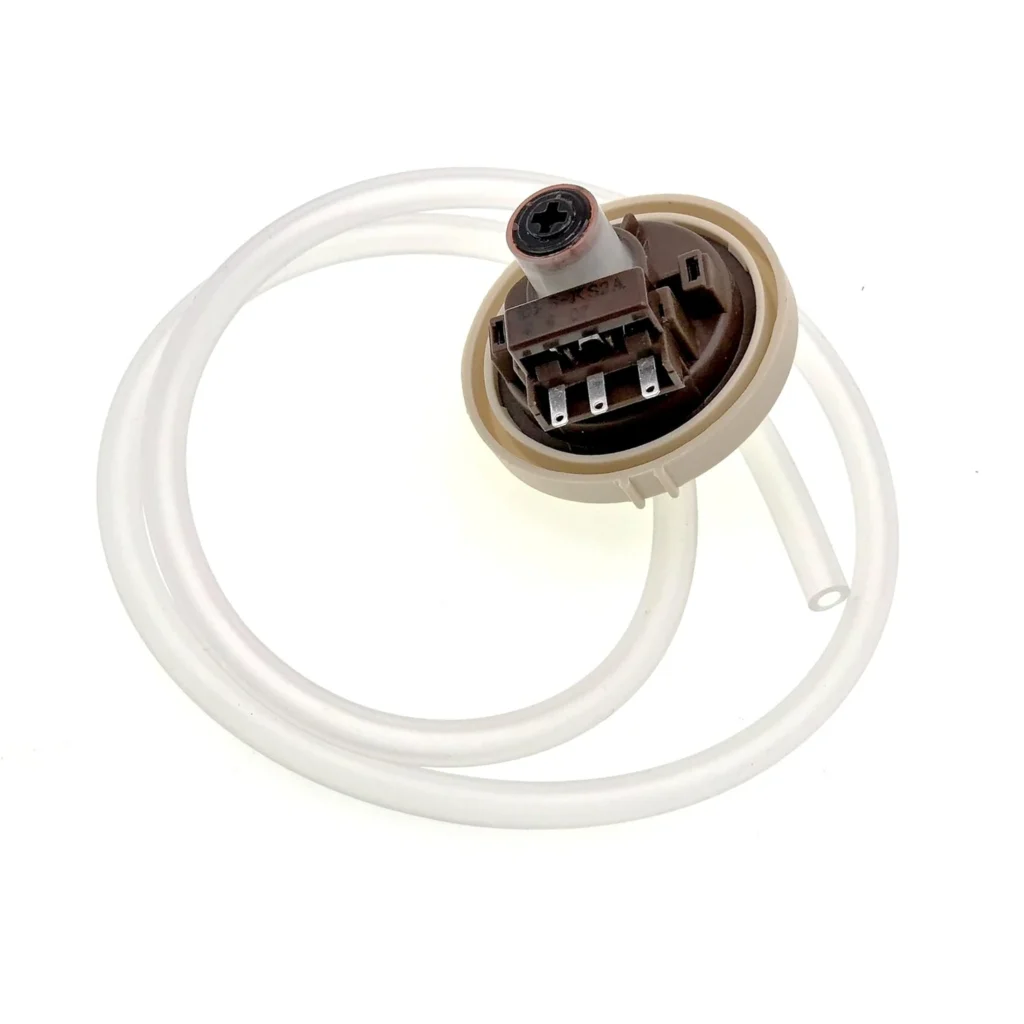
Your Samsung washer fills but never starts the wash cycle. Or maybe it overfills and floods across your laundry room floor. Before you call a repair tech charging $200 just to show up, check the water level pressure switch — it's often the culprit behind these frustrating issues.
The DC96-01703C pressure switch (also known as AP5581361 or PS4217081) tells your washer's control board when the tub has enough water. When it fails, your machine can't gauge water levels properly. This guide walks you through replacing it on Samsung top-load washers including the WA400PJHDWR, WA45K7600AW, WA45H7200AW, and dozens of other models.
What You Need Before Starting
- Phillips screwdriver
- Flathead screwdriver
- Needle-nose pliers
- Towel or shallow pan (to catch residual water)
- Work gloves
- New DC96-01703C pressure switch
Estimated repair time: 20-30 minutes
Difficulty level: Moderate — Requires removing the control panel but no special tools
Safety First
Warning: Always unplug your washer from the wall outlet before starting any repair. Water and electricity don't mix. Even if you think the machine is off, residual power in the control board can cause shock. Pull the plug completely out — don't rely on just turning off the machine. If your washer is hard-wired, flip the breaker at your electrical panel.
Step 1: Access the Control Panel
The pressure switch sits behind the control panel on most Samsung top-loaders. Remove the screws securing the control panel — typically you'll find two or three Phillips screws along the back edge of the panel. On models like the WA45M7050AW, there are two screws on the back corners. Gently tilt the control panel forward once the screws are out, but don't yank it — wiring harnesses are still attached underneath.
Step 2: Locate the Pressure Switch
With the control panel tilted forward, you'll see the pressure switch mounted to the left side (or sometimes center, depending on your model). It's a small rectangular component with a clear or white air tube connected to it. The tube runs down to the tub and measures air pressure to determine water level. You'll also see a wire harness plugged into the switch.
Step 3: Disconnect and Remove the Old Switch
First, unplug the wire harness from the pressure switch — there's usually a small tab you press to release it. Next, disconnect the air tube by gently pulling it straight off the nipple on the switch. You might need to wiggle it slightly if it's been on there for years. Remove the mounting screw or release clip holding the switch to the panel bracket, then pull the old switch free.
Step 4: Install the New DC96-01703C Switch
Position your new DC96-01703C switch in the same mounting location. Secure it with the mounting screw or clip. Push the air tube firmly onto the switch nipple until you feel it seat — it should take a bit of force to get it fully on. A loose connection here means inaccurate pressure readings. Plug the wire harness back into the switch until you hear it click.
Step 5: Reassemble and Test
Tilt the control panel back into position and replace all the screws you removed. Double-check that no wires are pinched between the panel and the washer cabinet. Plug your washer back in and run a test cycle. Start with a small load setting and watch the fill process. The washer should fill to the appropriate level, then stop and begin agitating. If it overfills or underfills, unplug again and verify the air tube connection is secure with no kinks in the line.
Testing After Installation
Run your washer through a complete cycle with a normal load. Listen for the fill valve to shut off at the right time — you shouldn't hear water continuously running. Check that the washer transitions from fill to wash cycle without hesitation. If you're still experiencing issues, inspect the air tube running from the switch down to the tub for cracks, blockages, or disconnection at the tub end. A compromised tube gives false pressure readings even with a new switch.
Frequently Asked Questions
How do I know if my pressure switch is bad?
Common signs include the washer overfilling and overflowing, not filling at all, or filling but never advancing to the wash cycle. You might also see error codes related to water level on models with digital displays. If the tub fills but the washer just sits there humming, that's a classic pressure switch failure — the control board is waiting for the "tub full" signal that never comes.
Will this switch work on my Samsung washer model?
The DC96-01703C is compatible with most Samsung top-load washers manufactured from 2010 onward, including WA400PJHDWR, WA40J3000AW, WA45K7600AW, WA5471ABW, WA456DRHDSU, WA45H7000AW, WA422PRHDWR, and many others. Check your washer's model number against the compatibility list on the product page to confirm. This switch replaces older part numbers AP5581361, PS4217081, and 2705318.
Can a clogged air tube cause the same symptoms as a bad switch?
Absolutely. The air tube connects the pressure switch to the outer tub, and if it's clogged with detergent buildup, kinked, or cracked, you'll get the same problems as a failed switch. Before replacing the switch, blow through the air tube to make sure it's clear. If you feel resistance or no air passes through, remove the tube completely and clean it out with warm water. Sometimes this simple fix saves you from replacing a perfectly good switch.
Before removing the old switch, take a photo of the wire harness and air tube connections with your phone. This gives you a reference if you forget which way things were oriented during reassembly.
Need the part for this repair?
DC96-01703C · In Stock · Ships next business day