
How to Replace DC34-00026A Door Lock Switch on Samsung Washer — Step-by-Step
Unplug washer completely before repair. Door lock has spring-loaded components that can pinch.
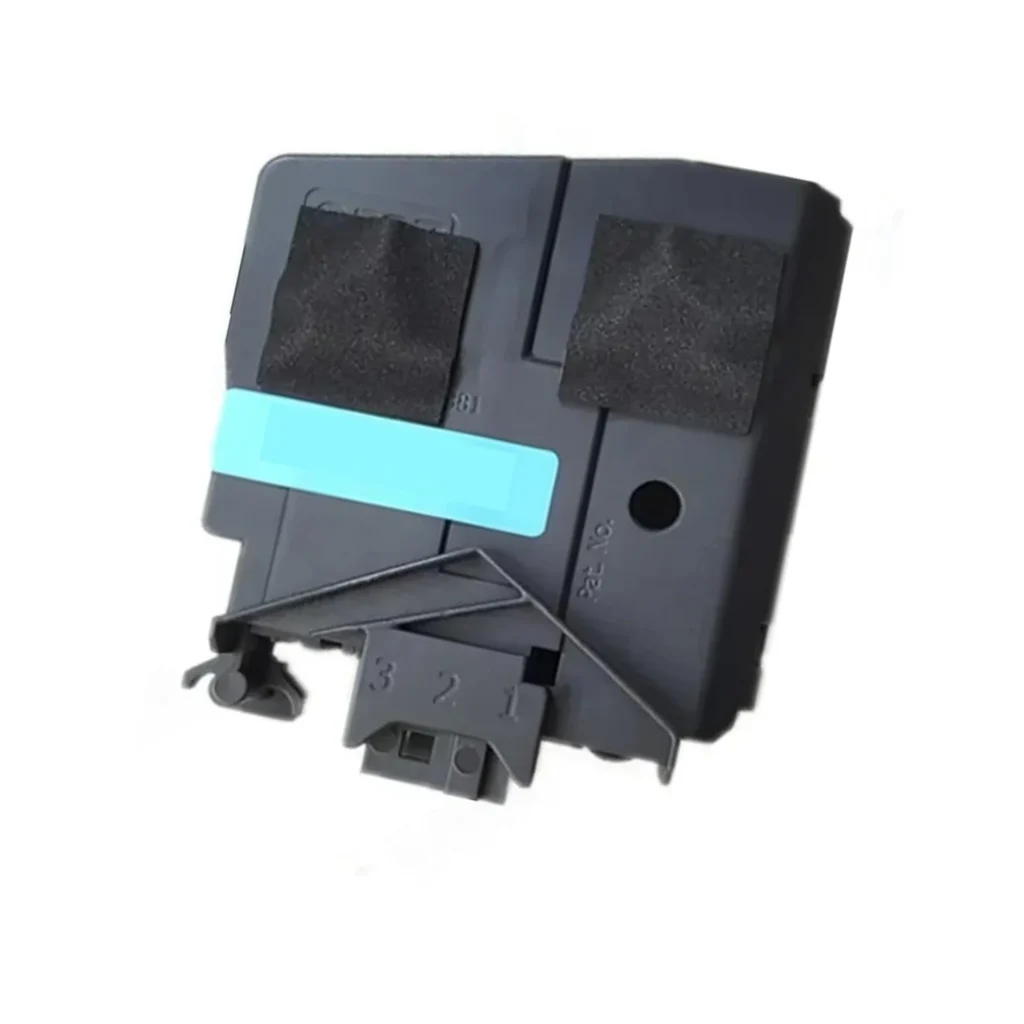
Your Samsung washer won't start, and you hear three beeps when you press the power button. The door feels like it's shut tight, but the control panel flashes a dE or dc error code. You've probably got a failed door lock switch — the DC34-00026A — and replacing it takes about 30 minutes with basic tools.
What You Need Before Starting
This repair requires minimal tools and moderate DIY skills. Here's what you'll need:
- Phillips screwdriver
- Flathead screwdriver (for prying trim panels)
- Needle-nose pliers
- Work gloves (sheet metal edges are sharp)
- Towel (to catch any residual water)
Estimated Time: 25-35 minutes
Difficulty: Moderate — requires removing the front panel
Safety First
Unplug your washer completely before you start. Don't just turn off the breaker — physically disconnect the power cord from the wall outlet. Even though this is a low-voltage component, the door lock mechanism has spring-loaded parts that can pinch fingers. There may be residual water around the door boot seal, so keep that towel handy.
Step 1: Remove the Detergent Drawer and Top Panel Screws
Pull the detergent drawer completely out — you'll see a release tab in the center you need to press down while pulling. Behind it are two Phillips screws securing the top control panel. Remove both screws, then tilt the control panel back about 45 degrees and let it rest against the wall. You don't need to disconnect any wires yet.
Step 2: Access the Door Lock Assembly
Open the washer door. The door lock switch sits behind the front panel, but you can access it by peeling back the rubber door boot seal. Locate the wire spring clamp holding the boot to the front panel — it's a thick wire ring. Use your flathead screwdriver to pry the clamp loose, starting at the top. Once it's off, tuck the boot inside the drum so it's out of your way.
Step 3: Remove the Front Panel
Look along the bottom front edge of the washer — there are typically two to four screws securing the lower panel. Remove them, then lift the entire front panel up and off. It hooks at the top, so lift straight up about an inch before pulling it toward you. Set it aside carefully. Now you'll see the door lock assembly mounted on the right side of the door opening.
Step 4: Disconnect and Replace the Door Lock Switch
The DC34-00026A has a wire harness connector with a locking tab. Press the tab and pull the connector straight off. Two screws hold the lock assembly to the frame — remove them and the old lock will come right out. Position your new DC34-00026A in the same orientation, secure it with the two screws, and reconnect the wire harness until you hear it click.
Step 5: Reassemble the Washer
Hook the front panel back onto the top clips, then push down and secure the bottom screws. Pull the door boot seal back over the front panel lip and reinstall the wire spring clamp — work it into the groove using needle-nose pliers, starting at the bottom. Tilt the control panel back into place, install the two screws behind the detergent drawer, and snap the drawer back in.
Testing After Installation
Plug the washer back in and close the door firmly. Press the power button — you should hear a distinct click as the door locks, and the door lock indicator light should come on. Start a quick rinse cycle to verify the washer begins filling. If you still see a dE error code, double-check that the wire harness is fully seated and that the door boot seal isn't preventing the door from closing completely.
Frequently Asked Questions
Will this door lock switch work on both front-load washers and washer-dryer combos?
Yes. The DC34-00026A is compatible with Samsung front-load washers like the WW80K6610QW and WW90M645OPO, as well as combo units like the WD90J6410AW and WD12J80400GW. Check your model number against the compatibility list to confirm.
What's the difference between dE and dc error codes?
Both indicate door lock issues, but dE means the door isn't closing properly (check the boot seal and striker), while dc means the lock mechanism itself has failed. The DC34-00026A fixes dc errors and dE errors caused by a faulty lock switch.
Can I bypass the door lock to finish a load of laundry?
Don't try it. The door lock is a safety interlock that prevents the drum from spinning with the door open. Bypassing it risks serious injury and will likely trigger additional error codes that prevent the washer from operating at all. Replace the switch — it's a straightforward repair.
Use needle-nose pliers to reinstall the boot seal clamp — it's much easier than trying to force it in with your fingers.
Need the part for this repair?
DC34-00026A · In Stock · Ships next business day