
How to Replace DA81-06013A Evaporator Fan Motor on Samsung Refrigerator — Step-by-Step
Unplug refrigerator completely before starting repair. Evaporator area contains sharp metal edges and may have heavy ice buildup.
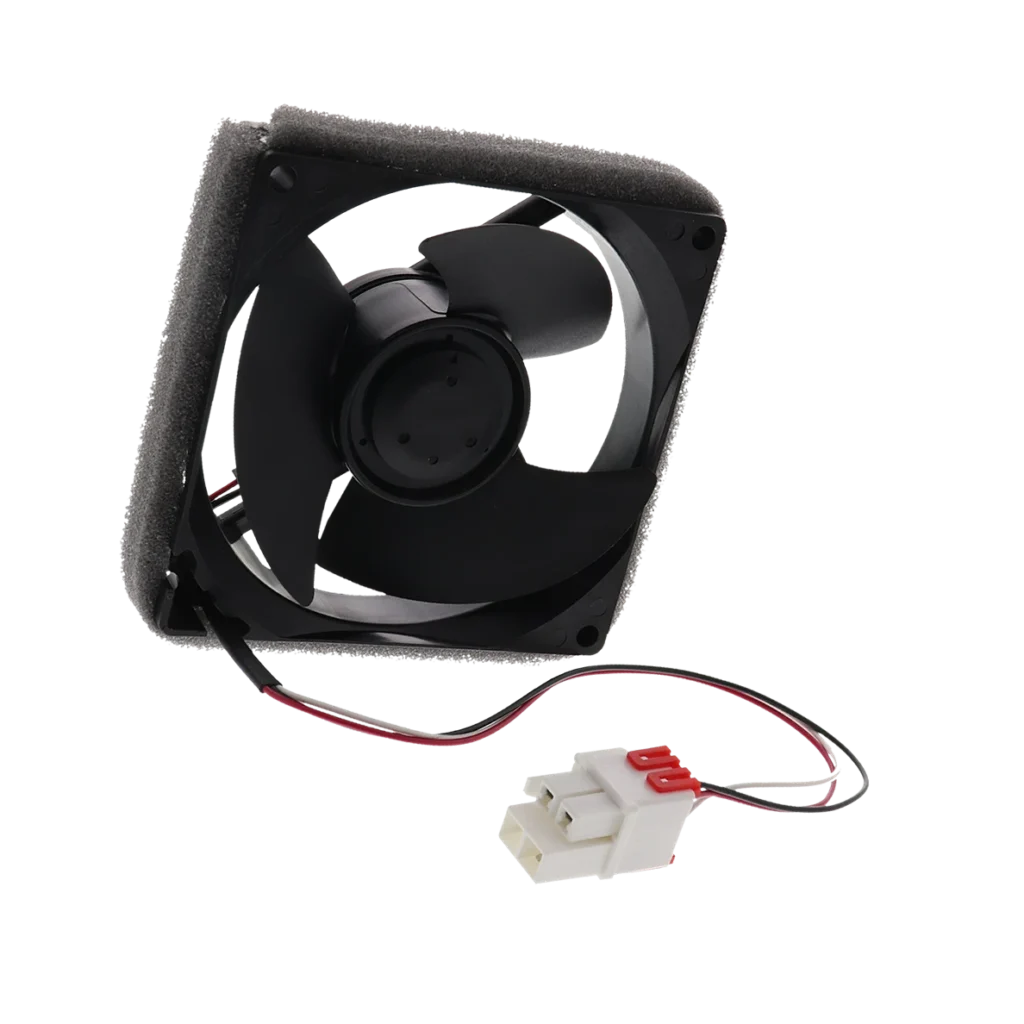
Your Samsung fridge is making a grinding noise that won't quit, and you've noticed the top shelves aren't staying cold anymore. Open the freezer door and listen closely — if that noise gets louder or you don't hear a fan running at all, your evaporator fan motor (part DA81-06013A) has likely failed. This is the hidden workhorse that circulates cold air from the evaporator coils throughout both compartments.
When this motor goes out, you'll see two telltale symptoms: the refrigerator section running warmer than it should, and often a buzzing, grinding, or squealing noise coming from behind the back panel in your freezer. The good news? This replacement takes about 45 minutes and doesn't require refrigerant work or professional tools.
What You Need Before Starting
Tools required:
- Phillips head screwdriver
- 1/4-inch nut driver or socket wrench
- Flathead screwdriver (for wire harness clips)
- Work gloves (metal edges can be sharp)
- Towels or container for ice buildup
Estimated repair time: 45-60 minutes
Difficulty level: MODERATE
Compatible with models including RF28HMEDBSR/AA, RF28HFEDTSR/AA, RF26HFENDSL/AA, RF25HMEDBSR/AA, RF26HFENDSR/AA, and dozens of other Samsung French door and side-by-side refrigerators. This part replaces obsolete numbers DA31-00287A, AP5914786, and PS9603956.
Safety First
Unplug your refrigerator completely before starting. The evaporator fan motor sits behind the freezer's back panel where sharp metal edges and moving parts can cause injury. Even though you're not working with the compressor or refrigerant lines, ice buildup can be heavy and the fan blades are sharp. Wear work gloves and have towels ready — you'll likely find frost or ice behind that panel that'll start melting once you remove it.
Step 1: Empty the Freezer and Remove Shelves
Pull out all frozen food and store it in a cooler. Remove the wire shelving and any bins blocking access to the freezer's back wall. You need a clear path to that vertical back panel — it's usually white or light gray plastic held in by multiple screws. Some models have an ice maker arm that swings down; carefully lift it out of the way or remove the ice bucket assembly completely.
Step 2: Remove the Evaporator Cover Panel
Look for 4-6 Phillips screws around the perimeter of the back panel. On French door models like the RF28HMEDBSR, there are typically five screws — three across the top and one on each side. Remove these screws and set them aside. Gently pull the panel forward from the bottom, then lift up to unhook the top tabs. You'll immediately see the evaporator coils (silver fins) and the fan assembly mounted behind them. Don't be surprised if ice chunks fall out — that's normal with a failing fan motor.
Step 3: Disconnect and Remove the Old Fan Motor
The fan motor is usually mounted on a bracket with 2-3 screws holding it in place. First, disconnect the wire harness — squeeze the locking tab and pull straight out. Next, remove the mounting screws (typically 1/4-inch hex heads). The entire fan assembly should now pull forward. You'll see the fan blade attached to the motor shaft. Depending on your model, you might need to pull the blade off the old motor shaft (it usually just slides off with firm pressure) or the blade assembly might come off as one unit with a clip or set screw.
Step 4: Install the New DA81-06013A Motor
If you removed the fan blade, slide it onto the new motor's shaft until it seats firmly — you should feel it lock into place. Position the new motor assembly back into the mounting bracket, making sure the wire harness reaches its connector without strain. Thread in the mounting screws and tighten them securely, but don't overtighten (you're threading into plastic). Reconnect the wire harness — you'll hear a click when it locks. Manually spin the fan blade with your finger to make sure it rotates freely without rubbing against the housing or coils.
Step 5: Reassemble and Test
Wipe down any moisture from the evaporator cover area, then position the back panel. Hook the top tabs first, then push the bottom in until it sits flush. Replace all the screws you removed earlier. Put the freezer shelves back in place. Now plug the refrigerator back in and close the freezer door. Within 30 seconds, you should hear the new fan motor start up — it should be nearly silent, just a gentle whooshing of air movement. Check back in 2-3 hours to verify temperatures are dropping properly.
Testing After Installation
Let the fridge run for at least 3-4 hours before reloading frozen food. Open the freezer door and listen — you should hear a quiet, smooth fan sound, not grinding or squealing. The fan should stop when you open the door (there's a door switch that cuts power). Check your temperature display: the freezer should read 0°F and the fridge around 37°F within 6-8 hours. If the fridge section is still warm after 24 hours, you may have an airflow blockage or a separate defrost issue, but the motor itself should be working perfectly.
Frequently Asked Questions
Why is my Samsung refrigerator warm but the freezer is cold?
This is the classic symptom of evaporator fan motor failure. The freezer makes cold air, but without a working fan, that air never circulates up to the refrigerator compartment. The DA81-06013A motor is the only thing that moves air between the two sections in most Samsung French door models. If you hear no fan noise when the compressor is running, or you hear grinding/squealing, the motor needs replacement.
Can I test the evaporator fan motor before replacing it?
Yes. Unplug the fridge, access the fan motor as described above, then plug the fridge back in temporarily. The fan should start spinning within 30 seconds (unless the defrost cycle is active). If it doesn't spin, makes noise, or only spins intermittently, it's failed. You can also use a multimeter to test for continuity across the motor terminals — it should read around 100-400 ohms. No continuity means the motor windings are burnt out.
Will this part work if my model number isn't exactly listed?
The DA81-06013A fits over 100 Samsung refrigerator models manufactured between 2010-2020, primarily French door and some side-by-side configurations. Check your model number (usually on a sticker inside the fridge door) against the compatibility list on the product page. This motor supersedes part numbers DA31-00287A and AP5914786, so if your original part has either of those numbers, the DA81-06013A is the correct direct replacement. When in doubt, match the wire harness connector style — it should be identical to your original.
Manually spin the new fan blade before closing everything up to ensure it rotates freely without rubbing against the housing or evaporator coils.
Need the part for this repair?
DA81-06013A · In Stock · Ships next business day