
How to Replace 8577274 Dryer Thermistor on Whirlpool & Maytag Dryers — Step-by-Step
Unplug dryer completely before service. Shut off gas supply on gas models. Wear gloves — sharp metal edges near blower housing.
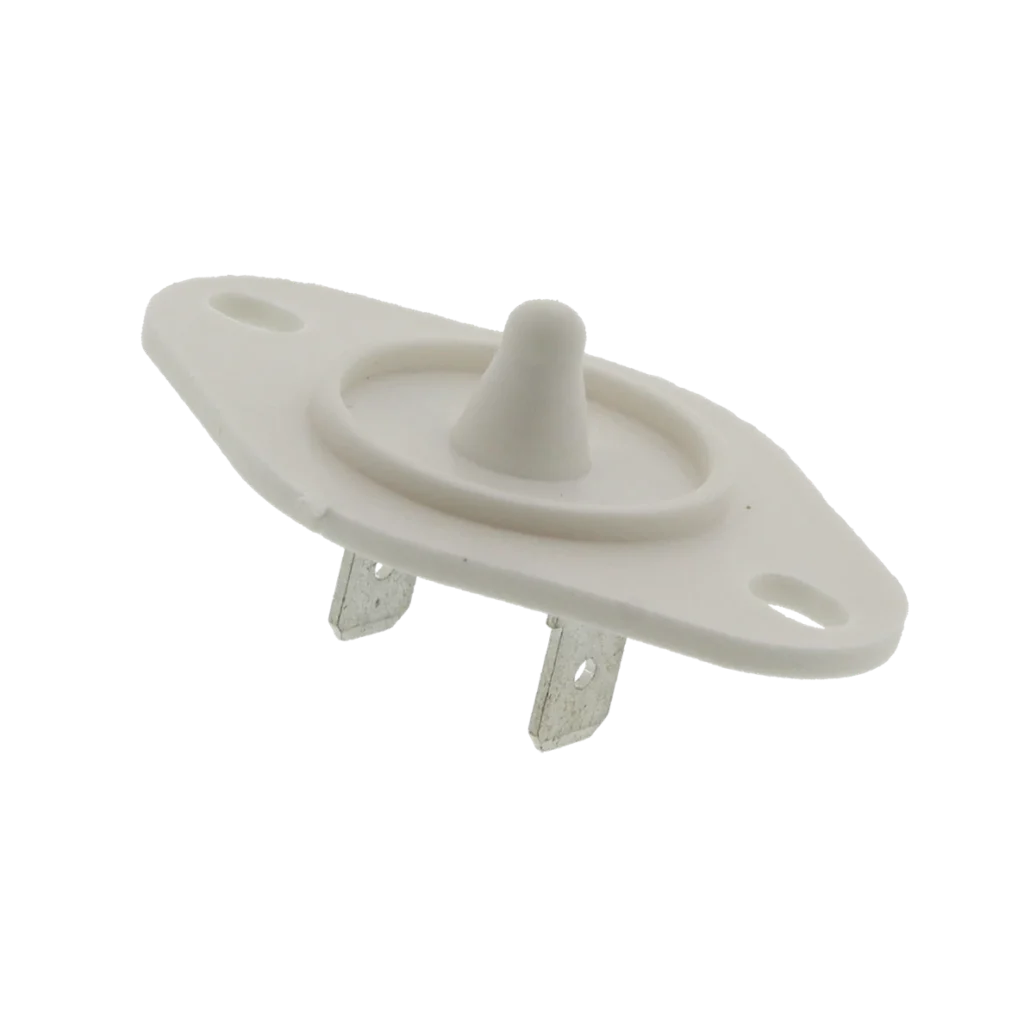
Your Whirlpool WED9200SQ1 runs for three minutes, then shuts off. Clothes come out damp every time. The heating element glows when you peek inside, but the dryer won't complete a full cycle. Nine times out of ten, that's a failed thermistor — and replacing the 8577274 takes about twenty minutes once you've got the dryer panels off.
What You Need Before Starting
This repair works on dozens of Whirlpool, Maytag, Kenmore, KitchenAid, and Amana dryers — including the WED8300SW series, WED85HEFW0, WED8500DW models, and the WED7000DW line. Here's what you'll need:
- ¼-inch nut driver
- Flathead screwdriver
- Putty knife (for cabinet clips)
- Work gloves (sharp metal edges)
- Multimeter (optional, for testing old thermistor)
Repair Time: 20-30 minutes
Difficulty: MODERATE
Safety First
Unplug the dryer completely before touching anything. If it's a gas dryer, shut off the gas supply valve and disconnect the gas line — you'll need to move the dryer away from the wall anyway. The thermistor sits near the blower housing where lint accumulates, so you'll be dealing with sharp sheet metal edges and dust. Wear gloves.
Step 1: Access the Thermistor Location
The thermistor on these models mounts on the blower housing at the bottom rear of the dryer. Pull the dryer away from the wall so you can work behind it. Remove the lower rear access panel — usually four to six ¼-inch screws around the perimeter. On some models like the WED8800YW series, you'll see it immediately once the panel comes off. It's a small black component with two wire terminals, about the size of your thumb.
Step 2: Disconnect the Old Thermistor
Pull the two wire connectors straight off the thermistor terminals. They're friction-fit, no screws. If they're stubborn, wiggle them side to side while pulling — don't yank on the wires themselves. The thermistor itself typically clips into a bracket on the blower housing. On WED9200SQ models, there's a metal retaining clip you'll need to pry off with a flathead screwdriver. Pop that clip loose and the thermistor slides right out.
Step 3: Install the New 8577274 Thermistor
Slide the new thermistor into the same bracket position. The sensor tip needs to make contact with the metal housing — that's how it reads air temperature. Snap the retaining clip back into place. Push the wire connectors onto the terminals until they click. There's no polarity here, so either wire can go on either terminal.
Step 4: Reassemble and Test
Screw the rear panel back on. Reconnect the power (and gas line if applicable). Run a timed dry cycle with a load of damp towels. The dryer should run continuously for the full cycle time without cutting off early. If it's still shutting off prematurely, you've got a secondary issue — possibly a clogged vent or failing control board — but the thermistor itself is now ruled out.
Testing After Installation
Start a normal cycle and listen for the heating element to engage after about 30 seconds. Open the door mid-cycle — you should feel warm air flowing. Let it run for 10 minutes, then check if clothes are getting progressively drier. The dryer shouldn't shut off until the cycle timer expires or the moisture sensor (separate from the thermistor) detects dry clothes.
Frequently Asked Questions
Will this thermistor work on my Kenmore dryer?
If your Kenmore model starts with 110 (like 11087872602), it's actually a Whirlpool-built dryer and this part fits. Check the compatible models list on the product page — there are hundreds of compatible model numbers across Whirlpool, Maytag, Kenmore, KitchenAid, and Amana brands. The 8577274 replaces older part numbers WP8577274, 3976615, 3390292, and 3406294.
How do I know if the thermistor is actually bad?
A failed thermistor usually causes one of two symptoms: the dryer shuts off after a few minutes (it thinks the air is too hot), or it runs forever without heating properly (it can't detect temperature changes). You can test it with a multimeter — it should read between 10,000 and 50,000 ohms at room temperature — but honestly, if you're already inside the dryer with the panels off, just replace it. They're inexpensive and fail frequently.
Do I need to replace anything else while I'm in here?
Check the blower wheel for lint buildup while you've got the rear panel off. A clogged blower causes airflow problems that stress the thermistor. Also inspect the felt drum seals — if they're torn, cold air leaks in and throws off temperature readings. But for most WED7400XW0, WED8500DW1, and similar models, the thermistor replacement alone solves the problem.
Clean lint from the blower housing while you've got the panel off — excessive lint buildup causes thermistor failures.
Need the part for this repair?
8577274 · In Stock · Ships next business day