
GE Washer LID Error Code — What It Means & How to Fix
Lid lock failure or not detected
The LID error code appears when your GE or Hotpoint top-load washer's control board cannot confirm that the lid lock mechanism has properly engaged. This safety feature prevents the washer from operating when it cannot verify the lid is securely locked, which is required during high-speed spin cycles. The error indicates either a mechanical failure of the lock mechanism, an electrical switch failure, or a communication problem between the lid lock assembly and the main control board.
Always unplug the washer before accessing the lid lock assembly. There is live 120V power at the switch connector even when the washer appears off. Never attempt to bypass or disable the lid lock — it prevents the lid from opening during spin cycles that can exceed 1,000 RPM.
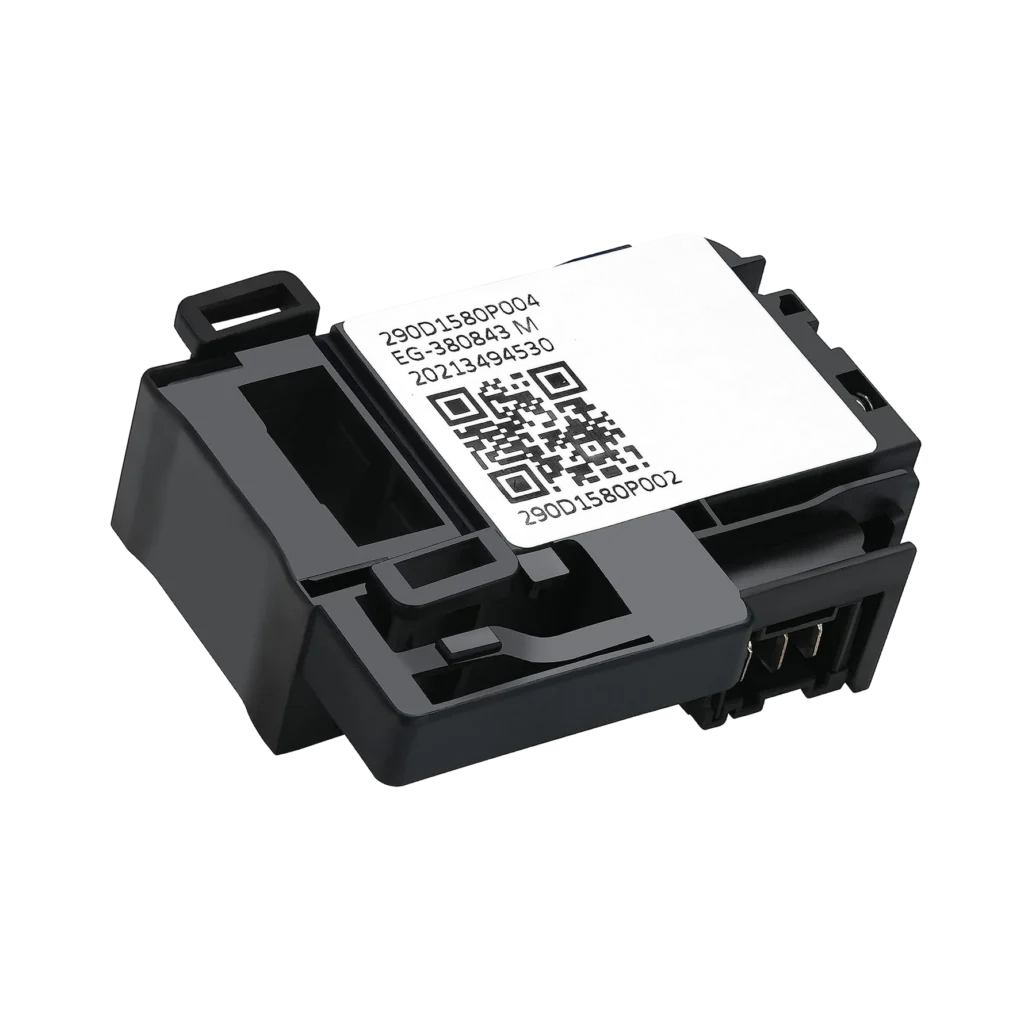
You load your clothes, pour in the detergent, press start — and instead of water filling, your GE top-load washer displays "LID" on the screen and refuses to budge. The lid is closed. You know it's closed. You even tried slamming it harder. But the machine won't start, and that three-letter code just sits there mocking you.
This is one of the most common error codes on GE and Hotpoint top-load washers, and it's usually caused by a failed lid lock switch — the small assembly that electronically verifies the lid is closed and locked before allowing the wash cycle to begin.
What the LID Error Code Actually Means
The LID error (sometimes displayed as "Lid" or just a flashing lid lock light) means your washer's control board isn't receiving the proper signal from the lid lock switch. This is a safety feature. Unlike older washers that just needed the lid physically closed, modern GE top-loaders actually lock the lid during operation to prevent it from being opened while the drum is spinning at high speed.
The lid lock switch serves two functions: it mechanically locks the lid using a small latch mechanism, and it sends an electrical signal to the control board confirming the lock engaged successfully. When that signal doesn't arrive within about 5-10 seconds of pressing start, you get the LID error.
This error prevents the washer from filling with water or starting the wash cycle. It's a complete stop — you can't override it by holding the lid down or bypassing it with tape. The control board needs that proper electronic signal.
Most Likely Causes (Ranked by Probability)
1. Failed Lid Lock Switch Assembly (High Probability — 75%)
The WH01X27954 lid lock switch assembly is the culprit in about three out of four LID error cases. This plastic assembly contains both the mechanical locking mechanism and the electrical switch. Over time, the plastic latch wears down, the switch contacts corrode, or the internal magnet that triggers the switch weakens. Models like the GTW460ASJ2WW, GTW335ASN2WW, and GTW330ASK4WW are particularly prone to lid lock failure after 3-5 years of use.
The switch can fail in two ways: it might not lock the lid physically (you'll hear no click), or it might lock but not send the electrical signal (you hear the click but still get the error).
2. Wiring Harness Connection Issues (Medium Probability — 15%)
The connector that plugs into the lid lock switch can corrode or work loose from vibration. This is especially common if you've had any water leaks near the top of the washer or if someone has removed and reinstalled the top panel for previous repairs. Check models GTW220ACK4WW and GTW460AMJ1WW — these have connectors that are particularly exposed to moisture.
3. Misaligned Striker Plate (Low Probability — 8%)
The lid has a small metal striker that aligns with the lock mechanism. If someone has replaced the lid or if the washer has been moved roughly, this striker can be slightly bent or misaligned, preventing the lock from engaging even though the switch itself is fine.
4. Control Board Communication Failure (Low Probability — 2%)
Rarely, the main control board loses its ability to communicate with the lid lock switch even though the switch is working. This usually only happens after a power surge or if there's corrosion in the board's connection terminals.
Step-by-Step Diagnostic and Fix
Before you start: Unplug the washer completely. Even though you're working at the top, there's 120V power running to that lid lock assembly.
Step 1: Visual Inspection of the Lid Striker
Open the lid and look at the underside where it meets the washer body. You'll see a small metal tab or hook — that's the striker. Close the lid slowly and watch where it aligns with the lock mechanism on the washer body. It should slide directly into the lock opening with about 1/8" clearance on all sides. If it's hitting the edge or missing entirely, gently bend it back into position with pliers.
Step 2: Listen for the Lock Click
Plug the washer back in temporarily. Close the lid and press start. Put your ear near the lid lock area (it's usually on the right side under the control panel). You should hear a distinct click within 2-3 seconds. This is the lock engaging.
If you hear no click: the lock mechanism is mechanically failed — proceed to replacement.
If you hear a click but still get the error: the mechanical lock works but the electrical switch is bad — still needs replacement.
Step 3: Access the Lid Lock Switch
Unplug again. Remove the three screws across the back of the top panel (usually 5/16" hex head screws). Slide the top panel back about 2 inches, then lift up and off. The lid lock assembly is mounted on the right side of the opening, attached with two Phillips screws.
Step 4: Check the Wiring Connector
Before removing the lock assembly, disconnect the wire harness connector. Inspect both the male and female terminals for:
- Green or white corrosion (clean with electrical contact cleaner)
- Pushed-back pins (you can carefully push them back forward with a small pick)
- Melted plastic around terminals (this means it's definitely failed)
If everything looks clean and tight, the switch itself is the problem.
Step 5: Install the New WH01X27954 Lid Lock
Remove the two mounting screws and pull out the old assembly. The new WH01X27954 switch installs in the exact same position. Important: make sure the lock mechanism is in the "unlocked" position before installing (the latch should be retracted). Secure with the two screws, reconnect the wire harness until you hear it click, and replace the top panel.
Step 6: Test the Repair
Plug the washer back in. Close the lid and press start. You should hear the lock click within 2-3 seconds, and the washer should begin filling. The LID error should be gone. Run a complete empty cycle to verify the lock holds throughout spin cycles.
When the Fix Doesn't Work
If you've replaced the lid lock switch and the LID error persists, you're dealing with one of two issues:
Control board failure: The main control board's lock circuit may be damaged. This requires a control board replacement, which runs $150-$250 plus labor. Before going this route, try resetting the washer by unplugging it for 60 seconds — occasionally this clears a stuck error in the board's memory.
Wiring harness break: The wire running from the lock to the control board may be broken inside the insulation. This is rare but happens if the top panel has been removed multiple times. You'll need to run a continuity test with a multimeter to trace the wire. If you find a break, the harness needs replacement or repair with solder and heat shrink.
At this point, if you're not comfortable with electrical diagnostics, call a technician. But honestly, the WH01X27954 lid lock switch fixes this error about 90% of the time when properly installed.
Frequently Asked Questions
Can I bypass the lid lock to finish my laundry load?
No, and you shouldn't try. The lid lock is a critical safety feature that prevents the lid from opening during high-speed spin cycles (which can reach 1,000+ RPM). Bypassing it risks serious injury. If you're mid-cycle when the error occurs, you can manually drain the washer using the drain hose and remove wet clothes to finish elsewhere.
How long does the WH01X27954 lid lock switch typically last?
On GE and Hotpoint top-load washers, expect 5-8 years from the original factory switch if you run 5-7 loads per week. Heavy users (10+ loads weekly) may see failure at 3-4 years. The replacement WH01X27954 is actually a revised design that addresses some wear points in the earlier WH01X24114 version, so it should last at least as long, possibly longer.
Why does my washer sometimes work and sometimes show LID error?
This intermittent behavior is classic failing lid lock switch. The electrical contacts inside the switch are corroded or worn, so they make connection sometimes (especially when the washer is warm from recent use, which expands the metal slightly) but not others (when cold). The switch is in its death throes — it'll fail completely soon. Replace it now before you're stuck with a full load of wet clothes.
Before ordering parts, listen carefully when you press start with the lid closed. If you hear a distinct click but still get the LID error, the mechanical lock works but the electrical switch is bad — confirming you need the WH01X27954 replacement. No click means complete lock failure.
Need the control board or touchpad?
Genuine OEM & aftermarket options in stock