
How to Replace WB49X10063 Glass Turntable Tray on GE Microwave — Step-by-Step
Unplug microwave before handling glass tray. Broken glass edges can be sharp — wrap damaged trays before disposal.
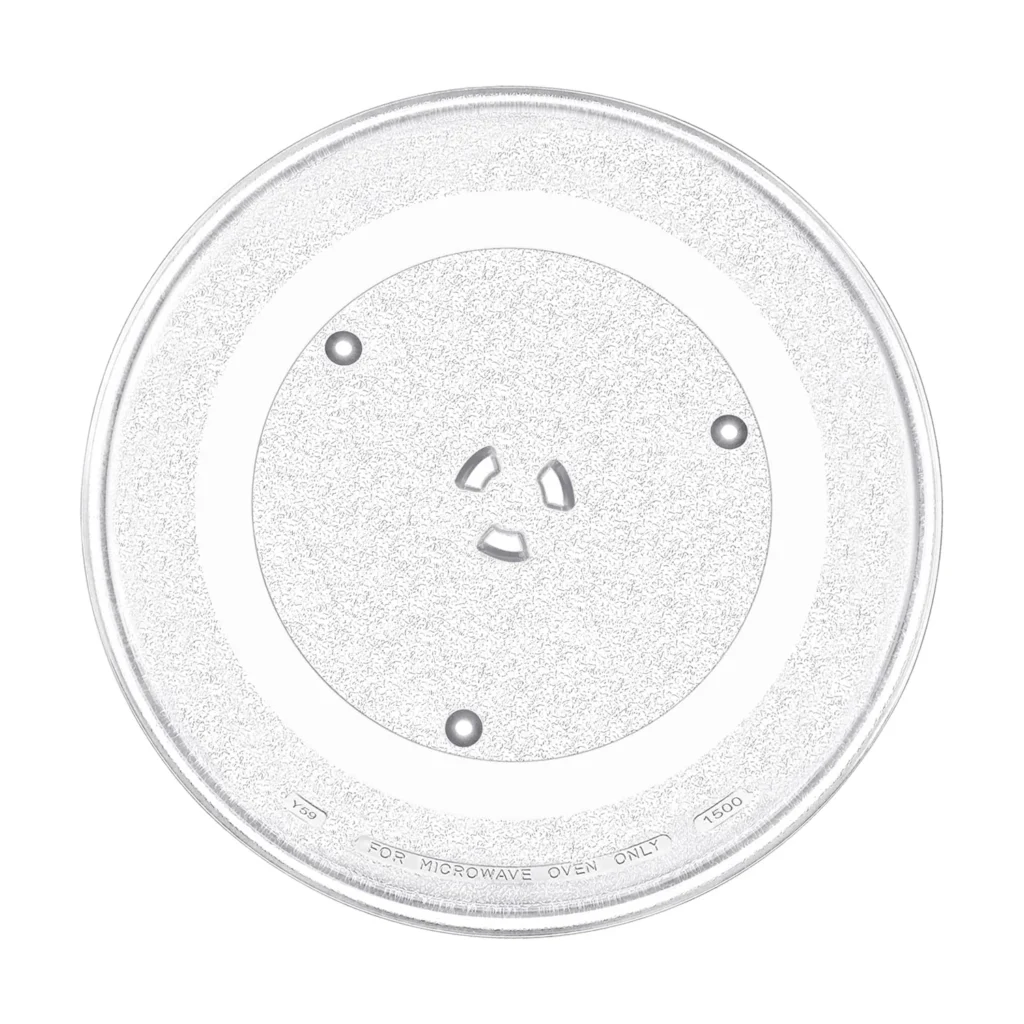
You open your microwave, hit start, and nothing happens. The turntable sits there like a stubborn mule. Your coffee cup rotates about an inch, then stops. Or worse — you hear a grinding noise that makes you wonder if you've just broken something expensive. Nine times out of ten, it's the glass turntable tray itself that's cracked, chipped, or worn down where it sits on the support hub.
Replacing the WB49X10063 turntable tray is probably the easiest microwave repair you'll ever do. No tools, no disassembly, just pull out the old one and drop in the new one. This part fits dozens of GE, Hotpoint, and RCA over-the-range and countertop models including the JVM1870 series, JVM3670 series, and CVM2072 series.
What You Need Before Starting
- New WB49X10063 glass turntable tray
- Your hands (seriously, that's it)
- Damp cloth for cleaning
Repair Time: 2 minutes
Difficulty: Beginner — If you can open a microwave door, you can do this repair.
Safety First
Unplug your microwave before you start. Even though you're not touching any electrical components, it's a good habit. Glass turntables are surprisingly heavy — about 5-7 pounds — and the edges can be sharp if chipped. If your old tray is cracked or broken, wrap it in newspaper or a towel before disposing of it.
Step 1: Remove the Old Turntable Tray
Open the microwave door and simply lift the glass tray straight up and out. It sits on a plastic support ring and hub assembly underneath. Don't yank it — just lift evenly with both hands. If it's stuck, it might be wedged against dried food or the mounting hub. Wiggle it gently side to side while lifting.
Step 2: Inspect the Support Ring and Hub
With the tray out, look at the plastic support ring sitting on the microwave floor. Check that it's not cracked or warped. The turntable hub (the plastic post in the center) should spin freely. If the hub doesn't turn or wobbles excessively, you've got a separate problem — but that's not what we're fixing today. Wipe down the microwave floor, the support ring, and the hub with a damp cloth. Food buildup here causes 90% of turntable rotation problems.
Step 3: Check the New Tray Fit
Unpack your new WB49X10063 tray carefully. Look at the underside — you'll see three notches or indentations that fit over the support ring wheels. The center opening fits over the hub. Before you install it, make sure there's no packing material or protective film stuck to the bottom. I've seen people fight with "defective" trays that just had the plastic film still on.
Step 4: Install the New Turntable Tray
Place the new glass tray onto the support ring, aligning the center hole with the hub. Lower it straight down — you'll feel it settle into place when the notches engage with the support wheels. Give it a gentle spin by hand. It should rotate smoothly without grinding or catching. If it binds, lift it slightly and reposition it on the hub.
Step 5: Test the Microwave Operation
Plug the microwave back in. Put a microwave-safe cup of water in the center of the new turntable. Run the microwave for 30 seconds on high. The turntable should rotate smoothly without hesitation. Listen for any grinding, clicking, or scraping sounds. If everything's quiet and the tray spins, you're done.
Testing After Installation
Run the microwave empty (except for that cup of water) a few times at different power levels. The turntable should maintain consistent rotation speed. If it stops mid-cycle, double-check that the support ring is seated properly on the microwave floor and that the hub is actually turning. Sometimes the hub motor can fail, but that's a different repair entirely.
Frequently Asked Questions
Why does my new turntable tray make a grinding noise?
Check for food debris under the support ring or on the hub. Even a small crumb can cause grinding. Also verify that the support ring wheels aren't cracked — if they are, you need to replace the support ring assembly, not just the tray. The WB49X10063 is just the glass part.
Will this tray fit my specific GE microwave model?
This turntable fits over 50 GE, Hotpoint, and RCA models including JVM1871SH02, JVM3670BF08, JVM1870BF06, CVM2072SM1SS, and many others. Check your microwave's model number (usually on the inside door frame) against the compatibility list. It replaces older part numbers AP3190166, WB39X10038, and WB49X10096.
Can I use my microwave without the turntable tray?
Technically yes, but don't. The turntable distributes microwave energy evenly across your food. Without it, you'll get hot spots and cold spots, and your food won't heat properly. Plus, most microwaves have a safety switch that detects turntable rotation — if it doesn't spin, some models won't run at all.
Clean the support ring and hub assembly while you have the tray out. Dried food buildup causes most turntable rotation problems.
Need the part for this repair?
WB49X10063 · In Stock · Ships next business day