
How to Replace KSD301A-A Bimetal Snap Disc Thermostat on Dryers & Microwaves — Step-by-Step
Unplug dryer completely or shut off breaker before starting. Electric dryers use 240V which can cause serious injury. Turn off gas supply on gas models. Wait 5 minutes after unplugging for capacitors to discharge.
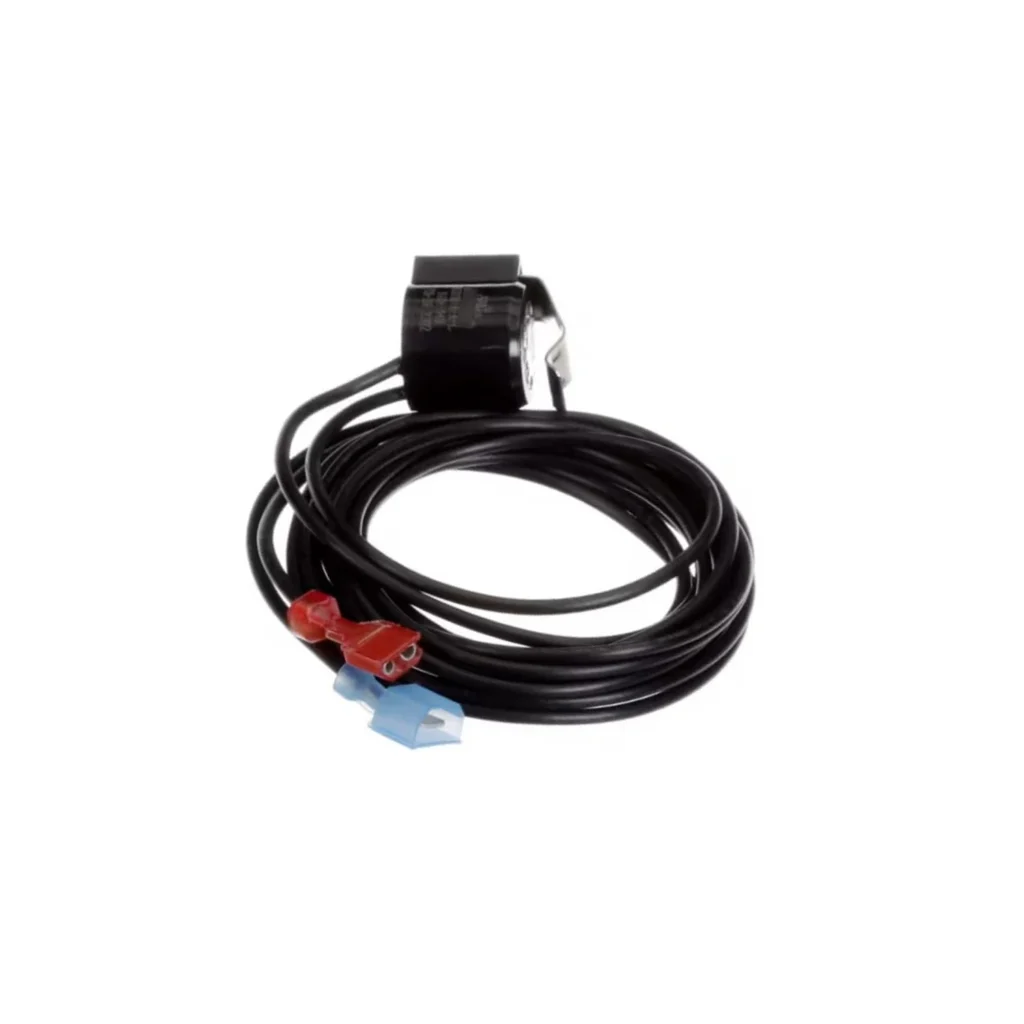
Your Maytag dryer's running for an hour and your clothes are still damp. Or worse — it's getting so hot you can smell something burning. Nine times out of ten, that's a failed thermal cutoff thermostat. The KSD301A-A bimetal snap disc is the safety device that regulates temperature in everything from dryers to microwaves to coffee makers, and when it fails, your appliance either won't heat properly or won't shut off at all.
I've replaced hundreds of these little thermostats. They're cheap, critical, and surprisingly easy to swap out once you know where they're hiding. This guide covers the replacement process for dryers (where they fail most often), but the basic procedure works for microwaves and other heating appliances too.
What You Need Before Starting
This is one of the simpler appliance repairs you'll tackle. Here's what you need:
- Screwdrivers (Phillips and flathead)
- Socket set or nut drivers (typically 1/4" or 5/16")
- Pliers
- Adjustable wrench
- Multimeter (optional but helpful for testing)
- Work gloves (metal edges are sharp)
Repair time: 30-60 minutes depending on your dryer model
Difficulty: Easy — Perfect first repair if you've never worked on appliances
Safety First
Unplug the dryer completely or shut off the breaker. If you have a gas dryer, turn off the gas supply valve too. I can't stress this enough — electric dryers run on 240V, and that'll knock you on your back. Even after unplugging, wait five minutes for capacitors to discharge. Wear gloves when handling sheet metal panels; the edges are razor-sharp and I've got the scars to prove it.
Step 1: Access the Heating Assembly
For most dryers, the thermostat sits on the blower housing or heating element assembly. On Whirlpool, Maytag, and Kenmore models (like the WED5000DW0 or MEDC400VW0), you'll access it from the back. Remove the screws securing the rear panel — usually six to eight screws around the perimeter. Slide the panel off and set it aside. You'll see the big metal blower housing immediately.
On Samsung dryers like the DV42H5000EW, the front panel comes off instead. Pop the top, remove the screws holding the front, and tilt it forward. The heating assembly is on the right side.
Step 2: Locate and Test the Old Thermostat
The KSD301A-A is a small metal disc about the size of a nickel, mounted with two screws and two wire terminals. It's usually clipped to the blower housing or ducting near the heating element. Look for a round metal component with two wires attached — that's your guy.
Before removing anything, test it. Disconnect both wires and use your multimeter on the continuity setting. Touch one probe to each terminal. If it shows continuity (beeps or reads zero ohms), the thermostat is closed and working. No continuity? It's blown and needs replacement. If your dryer takes forever to dry or gets too hot, you'll almost always find no continuity here.
Step 3: Remove the Failed Thermostat
Disconnect both wire terminals — they're usually push-on spade connectors. Pull straight off with pliers if they're stubborn. Then remove the two mounting screws holding the thermostat to the housing. On some models, there's a metal mounting bracket that holds it in place; remove the bracket screws and the whole assembly comes off together.
Here's something I see people mess up: don't lose those little screws. They love to disappear into the guts of the dryer. I keep a magnetic parts tray handy for exactly this reason.
Step 4: Install the New KSD301A-A Thermostat
Position your new KSD301A-A exactly where the old one sat. The metal disc needs good contact with the blower housing or duct to sense temperature accurately. If there was any thermal paste or padding on the old one, clean the surface and apply a thin layer of heat-conductive paste to the new thermostat's back (not always necessary, but it helps).
Secure it with the mounting screws — snug but not gorilla-tight. You're screwing into thin sheet metal, so overtightening will strip the threads. Then reconnect both wire terminals. They only go on one way, so don't worry about polarity.
Step 5: Check for Related Issues
While you're in there, take thirty seconds to inspect the blower wheel. According to actual repair reports, a warped blower wheel rubbing on the cover causes premature thermostat failure. If your dryer was making a loud rubbing noise before it stopped heating, check that wheel. Spin it by hand — it should rotate freely without wobbling or scraping. If it's damaged, replace it now while everything's apart.
Also check the vent exhaust system. A clogged vent causes overheating, which trips thermal cutoffs repeatedly. If the outside vent is barely puffing air, clean the entire duct run before reassembling.
Testing After Installation
Reassemble the panel you removed, restore power, and run a test cycle. Start with an empty dryer on high heat for ten minutes. It should heat up normally and then cycle off when it reaches temperature. Open the door partway through — if you feel strong, hot air, you're golden.
Run a small load of damp towels for a full cycle. They should come out completely dry in 40-50 minutes. If it's still taking too long or not heating, you might have a bad heating element or another failed thermostat (many dryers have multiple thermal devices).
Frequently Asked Questions
Will this thermostat work in my microwave or coffee maker?
Yes, the KSD301A-A is a universal thermal cutoff used across multiple appliance types. It'll work in microwaves like the GE JVM3160RFSS or Whirlpool WMH31017AS, and in coffee makers that use snap disc thermostats. Just match the temperature rating (usually stamped on the old part) and the mounting style. The replacement process is similar — unplug, access the heating element area, swap the thermostat.
How do I know if my thermostat is bad or if it's the heating element?
Test both with a multimeter. The thermostat should show continuity (zero ohms) when it's at room temperature. The heating element should show 10-50 ohms of resistance depending on wattage. If the thermostat shows infinite resistance (no continuity), it's blown. If the element shows infinite resistance, it's open and needs replacement. Often when a dryer doesn't heat at all, it's the thermostat; when it heats weakly or inconsistently, it's usually the element.
Can I just bypass the thermostat to test my dryer?
Technically yes, but don't run it that way permanently. You can connect the two wires together temporarily to see if the dryer heats, which confirms the thermostat was the problem. But these thermal cutoffs are safety devices that prevent fires — running without one is asking for trouble. Use it only as a diagnostic test, then install the replacement immediately.
Check the blower wheel while you have the panel off — a warped wheel rubbing on the housing causes premature thermostat failure and that loud grinding noise everyone complains about.
Need the part for this repair?
KSD301A-A · In Stock · Ships next business day