
How to Replace DG47-00037A Broil Element on Samsung Range Oven — Step-by-Step
Disconnect power at circuit breaker before starting. Broil elements carry 240 volts and can cause fatal shock if serviced while energized.
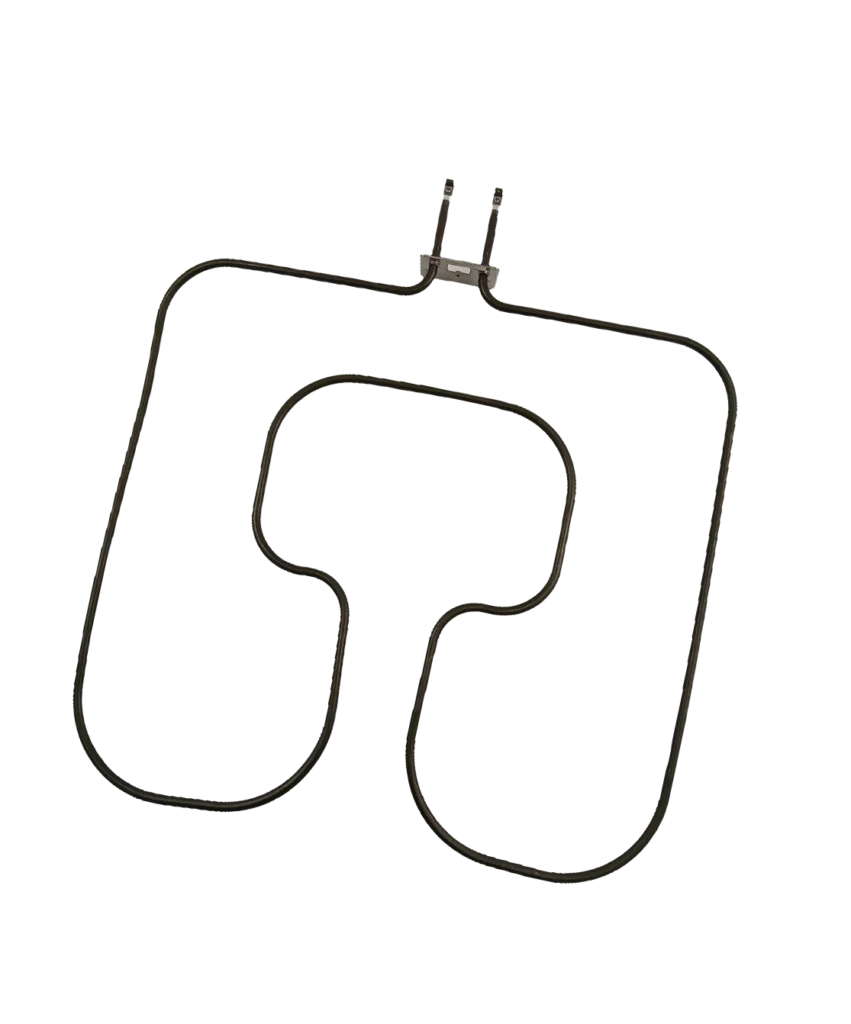
Your Samsung oven's broiler stopped working right before you planned to broil steaks for dinner. The element glows dimly on one side or doesn't heat at all — classic signs the DG47-00037A broil element has failed. This guide walks you through replacing it yourself, saving the $200-300 a service call would cost.
What You Need Before Starting
This repair takes about 30 minutes and requires minimal tools. Gather these items before you begin:
- Phillips screwdriver or nut driver (1/4")
- Work gloves (element brackets can be sharp)
- Flashlight or headlamp
- New DG47-00037A broil element
Repair Time: 25-35 minutes | Difficulty: ●●○○○ Easy
This replacement works for Samsung models including NE59J3420SS/AA, FER300SW/XAC, FCQ321HTUW, and dozens of others. Check your model number on the label inside the oven door frame to confirm compatibility.
Safety First
Warning: Disconnect power at the circuit breaker before starting. Broil elements carry 240 volts, and working on a live circuit can cause serious injury or death. Wait at least 30 minutes after turning off power to allow the element to cool completely if you've recently used the broiler.
Step 1: Access the Broil Element
Open your oven door fully. The broil element is mounted to the ceiling of the oven cavity — it's the curved metal rod across the top. You'll see two or three screws holding the mounting bracket to the oven's roof. Some Samsung models have the bracket at the back wall instead of directly overhead, so check both locations.
Step 2: Remove the Mounting Screws
Use your Phillips screwdriver to remove the screws securing the element bracket. Most Samsung ranges use two screws, but some models have three. Support the element with your other hand as you remove the last screw — it's heavier than it looks and can drop suddenly. Set the screws aside where they won't roll away.
Step 3: Disconnect the Wire Terminals
Gently pull the element forward to expose the wire connections at the back. You'll see two terminals with wires attached by push-on connectors. Pull these connectors straight off — don't twist them. If they're stuck from heat corrosion, use a gentle rocking motion while pulling. Take a photo of the wire positions before disconnecting if you're concerned about reconnecting them correctly, though the terminals are usually the same size.
Step 4: Install the New DG47-00037A Element
Push the wire connectors onto the new element's terminals firmly until they click. They should fit snugly — if they slide off easily, the connector may be worn and should be replaced. Position the element bracket against the oven ceiling, aligning the screw holes. Thread the screws back in and tighten them evenly. Don't overtighten; you're just securing the bracket, not crushing it.
Step 5: Test the Broiler Function
Restore power at the circuit breaker. Set your oven to broil mode and wait 2-3 minutes. The element should glow bright orange-red across its entire length. If only part of the element heats or it doesn't heat at all, double-check that both wire terminals are fully connected. A loose connection will prevent proper heating and can create a fire hazard.
Testing After Installation
Run the broiler for 5 minutes on high to verify even heating. The element should maintain consistent color across both loops. If you smell burning during the first use, that's normal — it's manufacturing oils burning off the new element. However, if you smell electrical burning or see smoke coming from the connections, turn off the oven immediately and check your wire connections.
Place an oven thermometer on the top rack and broil for 10 minutes. The temperature should reach at least 500°F. Lower temperatures indicate the element may not be getting full voltage, suggesting a wiring issue beyond just the element itself.
Frequently Asked Questions
Why did my Samsung broil element fail?
Broil elements typically fail after 5-8 years of regular use. Thermal cycling — heating to 550°F and cooling down repeatedly — causes the metal to fatigue and eventually break. Grease buildup can accelerate failure by creating hot spots that overheat specific sections of the element. Using the self-clean cycle excessively also shortens element life since cleaning temperatures reach 900°F.
Can I use my oven if the broiler doesn't work?
Yes, your bake element is separate and will continue working normally. You simply won't be able to broil until you replace the failed element. Don't try to compensate by using the bake element on high — it's not designed for direct overhead cooking and won't give you the same results.
Will this element fit my older Samsung range?
The DG47-00037A fits Samsung ranges manufactured from approximately 2008 to present, including FER and NE59 series models. It replaces older part numbers AP4342874 and PS4240835. Measure your current element before ordering — it should be approximately 15-16 inches wide. If your range is from the early 2000s or has a different configuration, verify compatibility using your model number on the label inside the oven door.
Take a photo of wire connections before disconnecting to ensure proper reassembly. Support the element when removing the last screw to prevent it from falling.
Need the part for this repair?
DG47-00037A · In Stock · Ships next business day