
How to Extend Your GE Dryer Timer Knob Life — Maintenance Guide
Always unplug the dryer before removing or inspecting the timer knob to prevent accidental cycle starts.
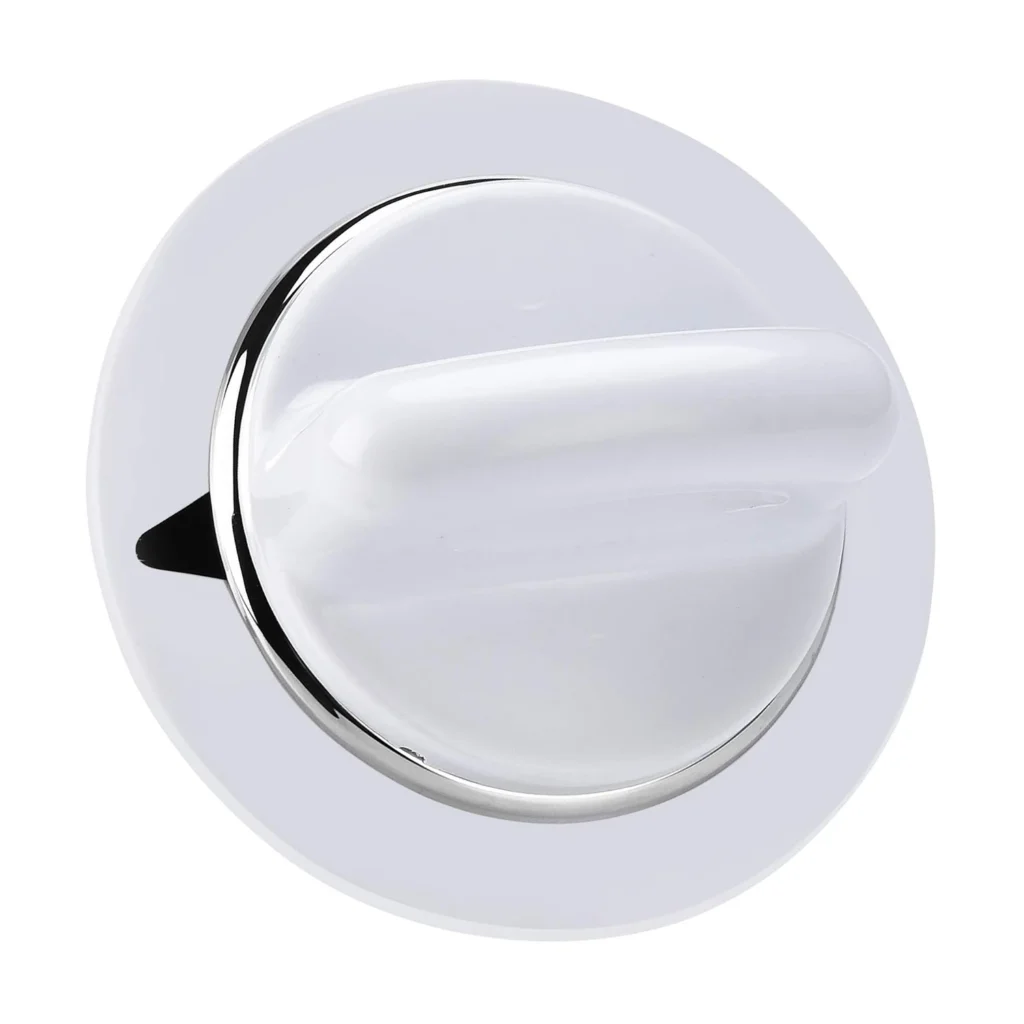
Here's something most people don't realize: that plastic timer knob on your GE dryer should last 10-15 years, but most fail in 5-7. Why? Because nobody thinks about maintaining a knob until it's already cracked, stripped, or slipping off the timer stem. One customer told us: "I was unable to select a cycle knob wouldn't advance and stay." That's the classic failure pattern — and it's preventable.
The WE1M654 fits hundreds of GE, Hotpoint, and RCA models (including DBB3300EA0WW, DBLR333EE0WW, and DCVH215EF0WW). It's a simple part, but when it fails, your entire dryer becomes useless. Let's talk about keeping it working.
How Long Should It Last?
Under normal conditions, a dryer timer knob should last 10-15 years. That's roughly 3,000-5,000 cycles. But here's what affects that lifespan:
- Grip force: Yanking or forcing the knob wears down the internal D-shaped insert that grips the timer stem
- Hand oils and moisture: These degrade the plastic over time, making it brittle
- Heat exposure: Dryers get hot. That heat cycles into the control panel area and accelerates plastic degradation
- Insert condition: The little D-shaped insert inside the knob is what actually grips the timer shaft. If it's damaged or missing, the knob will slip
Most knobs don't break catastrophically. They fail gradually — first you'll notice it takes more force to turn, then it starts slipping, then one day it just spins freely.
Signs It's Wearing Out
Catch these warning signs early and you can often extend the knob's life by months or even years.
The Knob Won't Stay in Position
You set it to "Normal Dry" and it drifts back to another setting. Or it advances during the cycle but won't hold when you initially set it. This is usually the insert inside wearing down — it's losing its grip on the D-shaped timer stem. One user described it perfectly: "Could not turn the timer to set the washer cycle" (they meant dryer, but you get the idea).
You Need More Force Than Usual
When your knob is new, it turns with light finger pressure. As the insert wears or the plastic degrades, you'll find yourself gripping harder. If you're using your whole hand or pliers to turn it, you're already in the danger zone.
Visible Cracks or Stress Marks
Check the back of the knob where it connects to the timer stem. Look for hairline cracks radiating from the center hole. Check the front edges for stress whitening — that chalky appearance plastic gets when it's been flexed too many times. The knob is cracked or stripped out at this point, and it's only a matter of time.
Simple Maintenance That Actually Works
You can't stop plastic from aging, but you can slow it down significantly.
After Each Load
Wipe the knob with a dry cloth. That's it. You're removing hand oils, lint dust, and moisture before they can work into the plastic. Takes five seconds.
Monthly Deep Clean
Pull the knob straight off (it just slides off the D-shaped stem — no tools needed). Wash it in warm soapy water. Dry it completely. While it's off, check that D-shaped insert. Is it still firmly seated? Any cracks? As the installation notes mention: "If the knob insert is damaged or missing a new insert should be ordered in the knob." You can actually order just the insert for some models.
Annually: Full Inspection
Once a year, remove the knob and inspect both it and the timer stem it connects to. Look for:
- Cracks in the plastic body
- Wear on the D-shaped insert
- Stripped or rounded edges on the insert
- Any looseness when you press the knob back on
If you catch a failing insert early, you can replace just that component. Wait until the knob is slipping on the timer stem, and you'll likely need the full knob assembly.
When to Replace vs Maintain
Be honest with yourself. If the knob is already slipping — meaning you can turn it but the timer doesn't advance, or it spins freely without engaging — maintenance won't help. The insert is stripped. You need a new knob.
But if it's just getting stiff or showing early wear signs, you can often get another year or two with proper care. The repair time is less than 15 minutes and you only need pliers (sometimes not even that).
Here's the decision framework: Can you reliably select and hold all cycle positions? If yes, maintain it. If no, replace it. Don't wait until you can't start the dryer at all.
The $200 Lesson
One of our customers shared this story: "I actually called a repair service in our area. The serviceman asked questions and detected that I didn't need a timer unit but thought it was just a knob that was required. He offered to come out but the expense would be considerable."
That service call would've been $150-200 for a part that costs $22.99. The honest tech saved them money, but here's the bigger point: if you maintain the knob, you might never need to make that call at all.
Frequently Asked Questions
Can I use WD-40 or lubricant on the timer stem?
No. It'll attract lint and gunk, making things worse. The connection between knob and stem should be dry. If it's stiff, the problem is the insert wearing out, not friction.
How do I know if it's the knob or the actual timer mechanism?
Pull the knob off and look at the timer stem. Try turning it directly with pliers (gently). If it turns and clicks through positions, the timer works — your knob is the problem. If the stem won't turn or feels seized, the timer itself may be failing.
Will a cracked knob still work?
Sometimes, but not reliably. A crack that hasn't reached the center insert might hold for a while. Once it reaches that insert or compromises the D-shaped socket, the knob will slip. Don't wait for a complete failure — order the replacement when you spot the crack.
Element showing wear?
WE1M654 · Replace before it fully fails