
How to Extend Your Samsung Dryer Thermistor Life — DC32-00007A Maintenance Guide
Always unplug dryer before inspecting electrical components. Test thermistor with power disconnected.
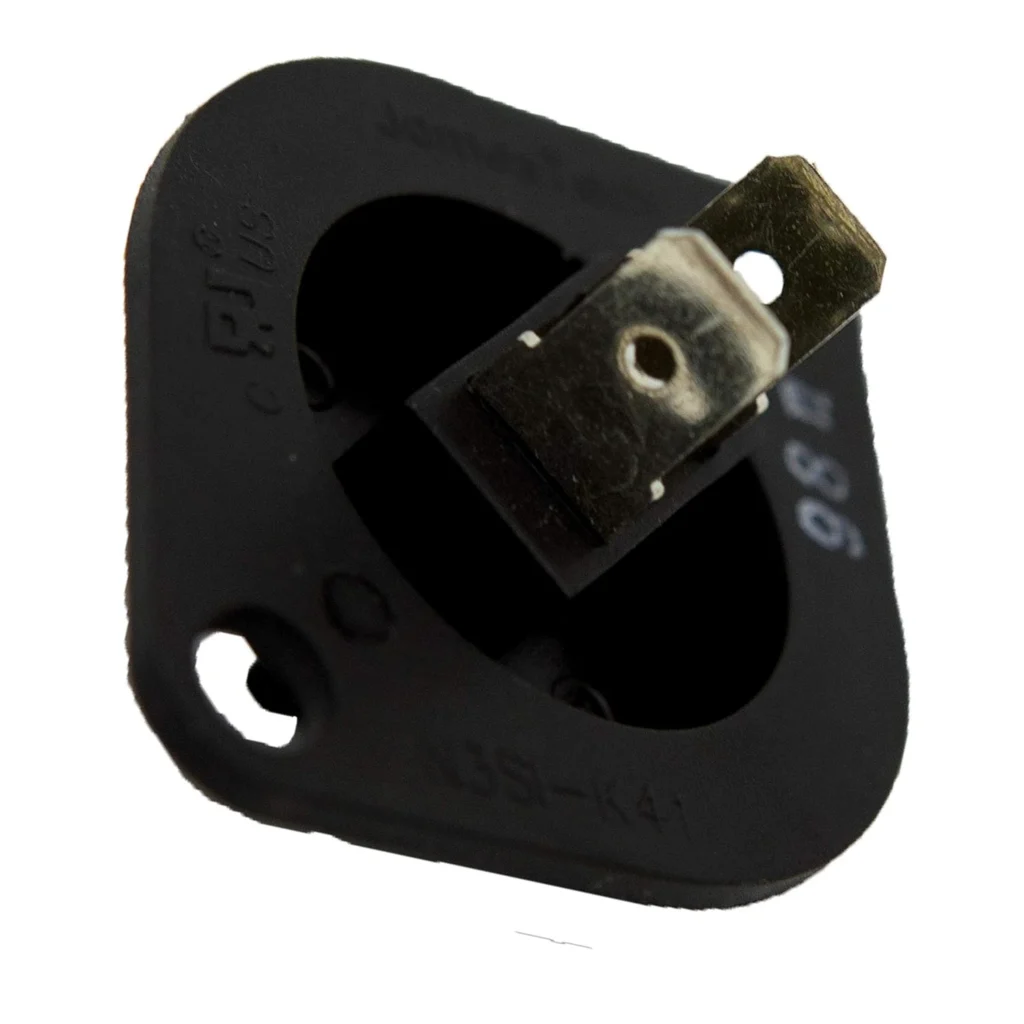
Here's something most Samsung dryer owners don't know: the DC32-00007A thermistor sensor should last 10-15 years, but most fail around year 5 or 6. The reason? Lint infiltration and voltage spikes from poor drum maintenance.
This temperature sensor is your dryer's brain — it tells the control board exactly how hot the drum is getting. When it starts reading wrong, you'll get clothes that come out damp after a full cycle, or worse, a dryer that shuts off after 5 minutes thinking it's overheated.
How Long Should Your DC32-00007A Last?
Under normal conditions, this thermistor can run for 10-15 years. I've seen units on DV42H5000EW and DV45H7000EW models go even longer when properly maintained.
What kills them early:
- Lint buildup around the sensor — creates false temperature readings that stress the component
- Overloading the dryer — forces longer cycles that keep the sensor at high temps constantly
- Blocked exhaust vents — causes temperature spikes the sensor wasn't designed to handle repeatedly
- Power surges — this is solid-state electronics, and voltage spikes fry the internal resistor
Keep your dryer's exhaust system clean and you'll double this sensor's life. It's that straightforward.
Signs Your Thermistor Is Wearing Out
The DC32-00007A doesn't just die overnight. It gives you warnings:
Clothes Still Damp After Full Cycle
The sensor's reading lower than actual temperature, so the control board thinks your clothes are dry when they're not. You'll run two or three cycles to get towels completely dry. This happens when the thermistor's resistance values drift out of spec — usually from heat stress over time.
Dryer Shuts Off After 5-10 Minutes
Opposite problem: the sensor's reading too high. Your dryer thinks it's overheating and triggers the thermal cutoff. Open the door and the drum feels barely warm. This is classic thermistor failure on Samsung models — the resistor inside has changed value permanently.
Error Codes: tE, tS, or tO
Your DV48J7700EW or DV50K8600EV is literally telling you the temperature sensor circuit is out of range. Don't ignore these codes. The thermistor either has an open circuit (broken wire internally) or it's reading resistance values the control board can't interpret.
Extremely Hot Dryer Exterior
If the sensor's failed completely, your dryer might not regulate heat properly. The cabinet feels unusually hot to the touch. This is dangerous — unplug immediately and test the thermistor.
Maintenance Schedule That Actually Works
After Every Load (Yes, Really)
Clean your lint trap completely. Not just the visible screen — pull it out and scrape the edges where lint compresses. This keeps airflow steady, which keeps temperatures predictable, which keeps your thermistor from working overtime.
Monthly: Deep Vent Check
Pull your dryer out and disconnect the exhaust vent. Reach in with a vacuum attachment and clean out the vent connection point where it meets the dryer. Lint accumulates right there and causes the temperature spikes that age your DC32-00007A sensor prematively.
Every 6 Months: Full Vent Clean
Clean your entire exhaust vent run to the outside. If you've got more than 10 feet of vent pipe, you need professional cleaning. Restricted airflow is the #1 cause of early thermistor failure — your sensor can't handle constant extreme temps.
Annually: Sensor Area Inspection
Unplug your dryer and pull the front or rear panel (depending on your model — DV42H5200EW series use rear access). Locate the thermistor on the blower housing and gently vacuum around it. Check that the wire harness connection is tight and there's no visible lint buildup on the sensor itself.
When to Replace vs. Maintain
Here's the honest truth: you can't really "fix" a thermistor. It's a sealed component. If it's reading wrong, it needs replacement.
Test it with a multimeter: at room temperature (77°F), it should read around 50,000 ohms. If you're getting wildly different numbers, or infinite resistance (open circuit), you need a new DC32-00007A.
But you can prevent premature failure. I've seen thermistors on well-maintained Samsung dryers hit 12-15 years easily. The difference? Clean vents and not overloading.
If your dryer's 8+ years old and you're getting intermittent issues, just replace it. Don't wait for complete failure — a bad temp sensor can cause your heating element to cycle incorrectly and waste electricity.
The Surge Protector Nobody Talks About
One more thing: plug your dryer into a whole-appliance surge protector. A $40 surge strip designed for 220V appliances will protect your thermistor (and control board) from the voltage spikes that kill electronics. I started recommending this to customers five years ago and the callback rate for thermistor failures dropped noticeably.
Frequently Asked Questions
Can I clean the thermistor itself to make it work better?
You can gently wipe dust off the sensor body, but you can't fix internal resistance drift. If the thermistor's reading temperatures wrong, cleaning won't help — the component's internal resistor has permanently changed value from heat cycling. Testing with a multimeter will tell you if it needs replacement.
Will a bad DC32-00007A damage other dryer parts?
Indirectly, yes. If the thermistor reads low, your heating element runs longer than it should, which can burn out the element prematurely. If it reads high, your dryer cycles on and off constantly, which stresses the control board and thermal fuse. Replace a failing thermistor before it causes cascade failures.
My dryer works but takes forever — is that the thermistor?
Probably not the sensor directly. Long dry times usually mean restricted airflow from clogged vents. But poor airflow will eventually damage your thermistor by causing temperature extremes. Fix the vent issue first, then test the sensor. If your vent's clean and clothes still take 90+ minutes to dry, test the DC32-00007A resistance values.
Element showing wear?
DC32-00007A · Replace before it fully fails