
How to Replace WB44T10060 Bake Element on GE and Hotpoint Ovens — Step-by-Step
Always disconnect power at the circuit breaker before working on oven electrical components. Do not attempt this repair with power connected.
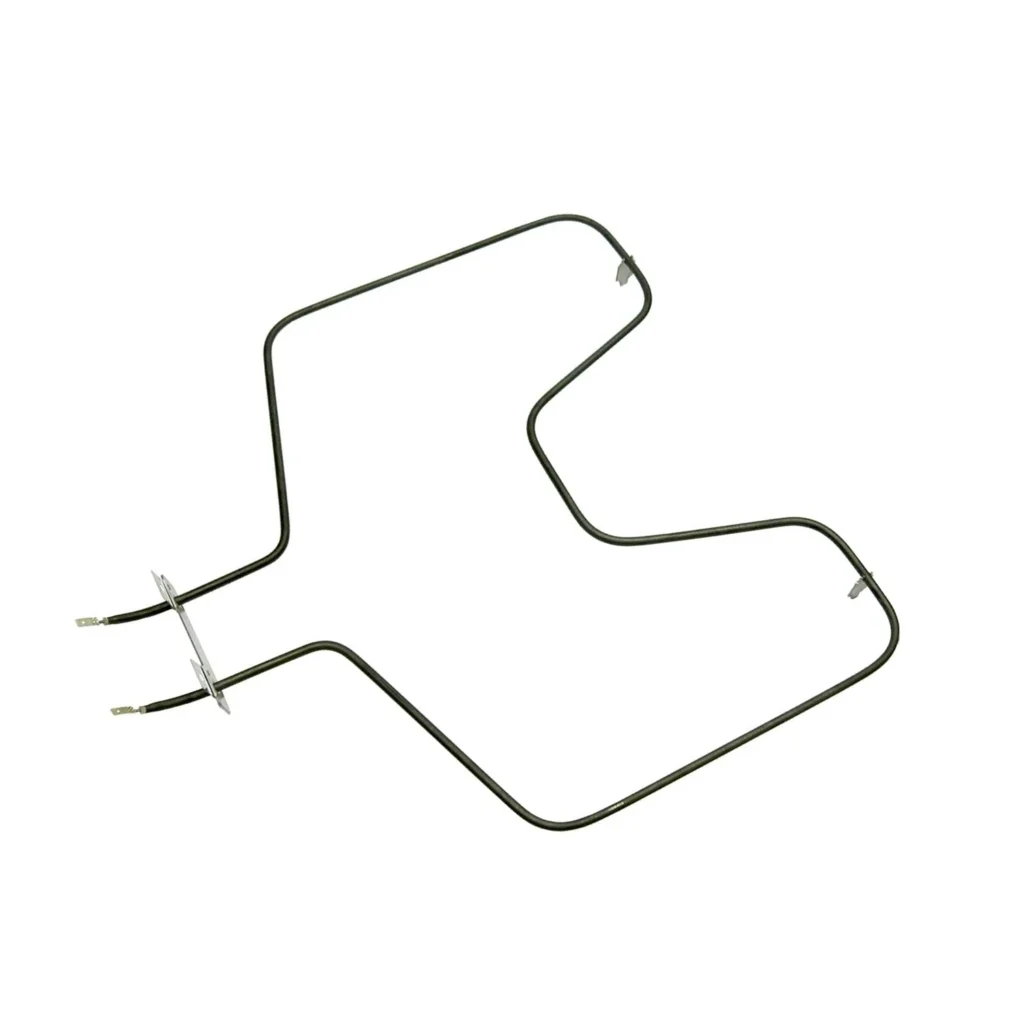
Your oven's preheating but nothing's actually baking. You've got cookies on the top rack coming out golden while the bottom stays pale and doughy. That's your bake element dying — and if you've got a GE JB620 or JB625 series oven showing little to no heat when baking, the WB44T10060 element is likely burned out or broken.
The good news? This is one of the most straightforward oven repairs you can tackle yourself. The element mounts with two screws at the back of the oven cavity, and you'll have it swapped in about 20 minutes. Let's walk through exactly how to do it.
What You Need Before Starting
This repair requires minimal tools and moderate DIY skills. Here's what to gather:
- 1/4-inch nut driver or socket wrench
- Flathead screwdriver (for wire terminal removal)
- Work gloves (element housing can have sharp edges)
- Flashlight or headlamp
Estimated time: 15-25 minutes
Difficulty: Easy to Moderate — You're working with live wiring, but the connections are straightforward
Safety First
Turn off power at your home's circuit breaker before touching anything inside the oven. Don't just flip the oven's control knob to OFF — you need to kill power at the breaker panel. Test that the oven truly has no power by trying to turn it on. If you've got a gas range with electric ignition, you're still dealing with electrical components here. Keep the breaker off until the new element is fully installed.
Step 1: Remove the Oven Racks and Locate Mounting Screws
Pull out all oven racks so you've got clear access. The bake element sits at the bottom of the oven cavity. Look toward the back wall — you'll see two screws (sometimes hex-head, sometimes Phillips) holding the element bracket in place. On most GE models like the JB620DR4BB or JB645DK4WW, these screws are about 6 inches apart at the rear of the element.
Step 2: Disconnect the Mounting Screws
Use your 1/4-inch nut driver to remove both mounting screws. Keep them somewhere safe — you'll need them for reinstallation. Once the screws are out, gently pull the element forward. It'll pivot toward you, exposing the wire terminals at the back. You'll have about 4-6 inches of slack in the wires.
Step 3: Disconnect the Wire Terminals
The element connects via two spade terminals pushed onto the element prongs. These can be stiff, especially if they've been in place for years. Grab each wire terminal (not the wire itself) and wiggle while pulling straight back. If they're really stuck, use a flathead screwdriver to gently pry between the terminal and the element prong. Take a quick photo with your phone before disconnecting — it'll help during reassembly, though the connections aren't polarity-sensitive.
Step 4: Install the New WB44T10060 Element
Push the wire terminals onto the new element's prongs until they're fully seated. You should feel them click into place. Now angle the element back into the oven cavity, lining up the mounting bracket with the screw holes. Thread in both mounting screws and tighten them snugly — but don't overtighten, as you can crack the element's ceramic mounting block.
Step 5: Restore Power and Test
Replace your oven racks, then flip the circuit breaker back on. Set your oven to bake at 350°F and watch the element. Within 90 seconds, you should see it start glowing red from the center outward. Let it run for 5 minutes to ensure even heating across the entire element. If you smell a slight burning odor during the first heat cycle, that's normal — it's manufacturing oils burning off.
Testing After Installation
Run a full preheat cycle and check that your oven reaches the set temperature. If you've got an oven thermometer, toss it on the center rack to verify accuracy. The element should glow evenly with no dark spots. Try baking something simple like a sheet of cookies to confirm even bottom browning. If the bottom's still not heating properly, you might have a deeper issue with the oven's relay board or thermostat — but that's rare when the element was the obvious culprit.
Frequently Asked Questions
How do I know if my bake element is actually bad?
Visual inspection tells you most of what you need to know. Look for blistering, cracks, or separated coils in the element. If part of the element glows red while another section stays dark, it's burned out internally. You can also test it with a multimeter set to ohms — a good element reads between 15-30 ohms, while a failed one shows infinite resistance (open circuit).
Will this element work on Kenmore ovens too?
Yes — many Kenmore ranges built by GE use this exact element. Check your model number against the compatibility list, but if your existing element has the same overall dimensions and terminal spacing, you're good to go. The WB44T10060 replaces several older part numbers including WB44X45494 and AP5331181.
Why does my element keep burning out every year?
Frequent element failures usually point to voltage issues or excessive self-cleaning cycles. If you're running the self-clean function more than once a month, you're stressing the element with extreme heat. Also check that your home's voltage is stable around 240V — significant fluctuations can shorten element life dramatically.
Take a photo of wire connections before disconnecting them. While bake element terminals aren't polarity-sensitive, the photo helps ensure you don't miss any connections during reassembly.
Need the part for this repair?
WB44T10060 · In Stock · Ships next business day