
Whirlpool Dryer Timer Problems — 6 Causes & How to Fix
Your Whirlpool dryer runs for exactly 12 minutes, then clicks off — no matter what cycle you select. Or maybe it advances too quickly, shutting down before your clothes are dry. Timer failures in models like the WED4815EW1, WED4910XQ0, and WED4995EW0 typically show up as erratic cycle behavior or complete timer lockup.
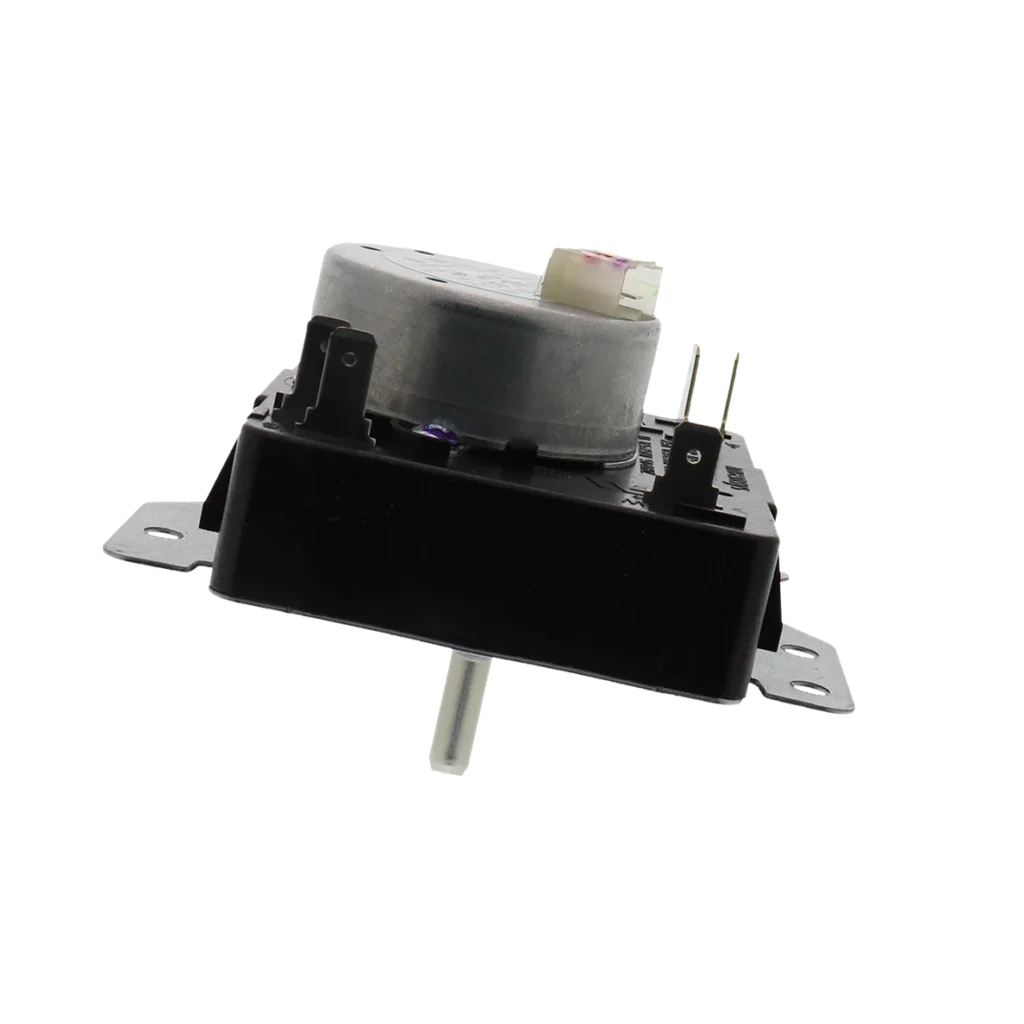
The W10185982 timer (also sold as WPW10185982 and AP6016541) controls every aspect of your dryer's operation — from motor run time to heat cycling to the final buzzer. When it fails, you'll see weird symptoms that don't match any single component failure.
Quick Symptom Check
Before assuming it's the timer, verify these symptoms match your situation:
- Timer knob won't advance — sits in one position regardless of actual cycle time
- Dryer runs but stops too early — cycles complete in 10-15 minutes when set for 60
- Timer advances too quickly — full cycle completes in minutes, clothes still wet
- No power to any cycle — timer physically turns but nothing happens
- Intermittent operation — dryer works one load, not the next
- Buzzer sounds but drum doesn't turn — timer advances but motor won't engage
If your dryer won't start at all and the timer feels loose or wobbly, you're likely dealing with worn timer contacts or a failed timer motor.
Cause #1: Burned Timer Contacts (Most Common)
Probability: 40%
The timer uses internal contacts to route power to different components. Over thousands of cycles, these contacts develop carbon buildup or physically weld together from electrical arcing. This is especially common in models WED4800XQ0 and WED4950HW0 that see heavy daily use.
How to diagnose:
- Unplug the dryer completely
- Pull the control knob straight off (it's friction-fit)
- Remove the two screws securing the control panel
- Tilt the panel forward to access the timer from behind
- Look for black discoloration around wire terminals
- Use a multimeter to test continuity between terminals as you manually advance the timer — erratic readings confirm failure
You might smell burnt plastic or see visible charring on the terminal block. That's carbon tracking from repeated arcing.
The fix: Replace the timer assembly. These contacts can't be cleaned or repaired reliably. Cost runs $95.99 for the W10185982, plus about an hour of your time.
Cause #2: Failed Timer Motor
Probability: 25%
The timer has a small synchronous motor that physically advances the cam wheel. When this motor burns out, the timer knob becomes stuck or moves only when you manually turn it.
Diagnosis steps:
- Set dryer to a timed dry cycle
- Listen closely at the timer — you should hear a faint humming
- If silent, the motor's dead
- Try manually advancing the knob — if it moves too easily without resistance, internal gears are stripped
This failure's more common in coastal areas where humidity accelerates internal corrosion.
The fix: Timer replacement. The motor isn't sold separately, and rebuilding isn't worth the hassle for a $96 part.
Cause #3: Loose or Corroded Wire Connections
Probability: 15%
Sometimes it's not the timer itself — it's the wiring harness. The W10185982 uses push-on terminals that can work loose from vibration, especially on models installed on second floors or near laundry room traffic.
Check for:
- Green corrosion on brass terminals (common in humid basements)
- Wires that pull off with gentle tugging
- Burn marks on the wire insulation near terminals
- Melted plastic around any connection point
The fix: If wires are corroded, cut back 1/2 inch and install new crimp-on terminals. If the timer's terminal block is melted, you still need a new timer — the damage indicates overheating that's compromised internal components.
Cause #4: Stuck Timer Cam or Broken Teeth
Probability: 10%
The timer advances through a series of cams with plastic teeth. If something jams the mechanism — a piece of broken spring, dried lubricant, or a stripped gear tooth — the timer appears dead even though the motor runs.
You'll hear the motor humming but see no knob movement. Sometimes you can manually advance it one click, then it sticks again.
The fix: This requires disassembling the timer housing, which voids any remaining warranty and rarely succeeds long-term. Replace the timer.
Cause #5: Power Supply Issues Mimicking Timer Failure
Probability: 7%
Before you spend $96 on a timer, verify you're getting proper voltage. The timer needs 120V AC to operate its motor. Models like the WED4985EW0 and WED5100VQ1 have thermal fuses that can blow and cut power to the timer circuit.
Quick check:
- Locate the thermal fuse (usually on the blower housing)
- Test continuity with a multimeter — should read zero ohms
- Check the outlet itself with a voltage tester
- Verify the dryer's main circuit breaker hasn't partially tripped
A thermal fuse costs $8. Much better to rule that out first.
Cause #6: Failed Control Board (Electronic Models)
Probability: 3%
Some newer Whirlpool dryers in the compatible model list use electronic controls that communicate with a mechanical timer. If the main control board fails, the timer won't receive proper signals.
This is rare with the W10185982, which is primarily used in mechanical-timer models, but worth mentioning for troubleshooting completeness.
Diagnosis: You'll see error codes on the display (if equipped) or completely dead controls despite the timer appearing functional.
When to Call a Pro
Timer replacement is genuinely DIY-friendly — it's usually four screws and a wire harness. But call a tech if:
- You're not comfortable working with 240V appliances (even unplugged, capacitors can hold charge)
- Multiple components are failing simultaneously (suggests electrical problem)
- The dryer is under warranty (DIY repairs can void coverage)
- You replace the timer and symptoms persist (points to main control board issues)
Average service call runs $150-200 including the part. You'll pay $95.99 for just the timer doing it yourself, so labor adds about $60-100.
Installation Reality Check
Replacing the W10185982 timer takes 45-60 minutes for first-timers. You'll need a 1/4" nut driver and a phone camera to photograph wire positions before disconnecting anything.
The trickiest part? Getting all those push-on wires back in the correct terminals. They're not standardized by color, so one photo from three angles saves huge frustration. Some terminals have double wires — don't miss those.
Pro tip: Use needle-nose pliers to grip the wire terminal, not the wire itself. Pulling on the wire can separate the crimp connection.
Frequently Asked Questions
Can I repair a dryer timer instead of replacing it?
Technically possible but practically foolish. Timer internals use proprietary cams, contacts, and motor assemblies that aren't sold separately. You'd spend hours disassembling it, likely break additional components, and end up buying the replacement anyway. The W10185982 at $95.99 is already reasonably priced for what you get — a complete assembly with a motor, multiple contact sets, and the cam mechanism.
Why does my dryer timer sometimes work and sometimes not?
Intermittent operation screams loose wire connection or failing contact inside the timer. As components heat up during use, metal expands slightly. A marginal connection might work when cold, fail when hot. Check every wire terminal for tightness. If connections are solid, the timer's internal contacts are failing — they make connection in some positions, not others. That's progressive failure, not something that'll heal itself.
Will the wrong timer damage my dryer?
Yes, absolutely. The W10185982 is programmed for specific cycle times and component sequencing. Installing a timer from a different model series can cause the heating element to stay energized too long, overheat safety thermostats to trip repeatedly, or the motor to run continuously. Always verify your model number appears in the compatibility list — the WED4815EW1, WED4910XQ1, WED4950HW0, and similar models are confirmed compatible. Cross-referencing by appearance isn't reliable.
Diagnosed the problem?
W10185982 · In Stock · Fast shipping