
Samsung Dryer Won't Heat or Overheats — 5 Causes & How to Fix DC32-00007A
Your Samsung dryer's been running for an hour, but when you open the door, everything's still damp. Or maybe the opposite — clothes come out scorching hot with that burnt smell that makes you nervous. Either way, you're dealing with a temperature regulation problem, and there's a good chance it's the thermistor.
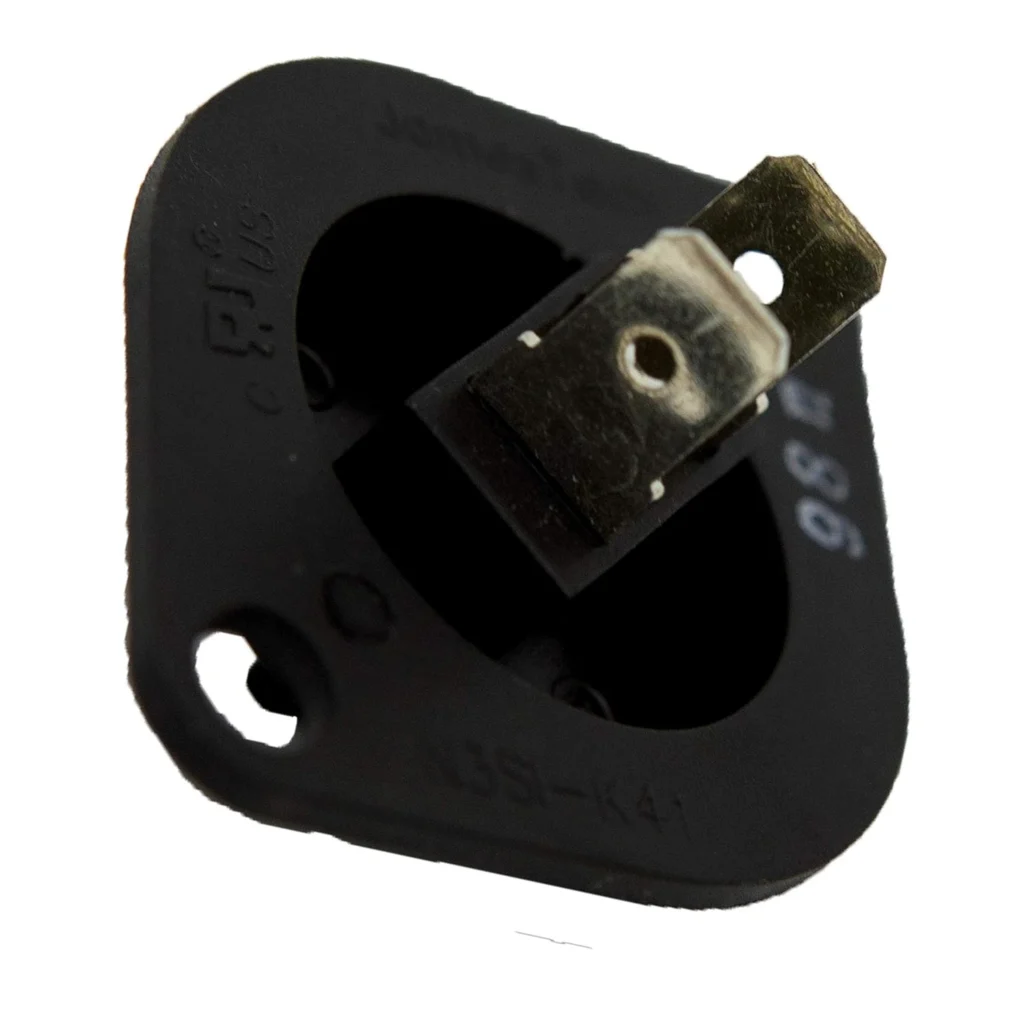
The DC32-00007A thermistor is Samsung's temperature sensor — a small component that tells your dryer's control board exactly how hot things are getting inside the drum. When it fails, your dryer either won't heat at all or can't regulate heat properly. It's a $28 part that affects models from the DV42H5000EW to the DV50K8600EV and dozens in between.
Quick Symptom Check
- Clothes stay damp after full cycle — dryer runs but produces no heat
- Clothes come out too hot — sensor can't tell control board to reduce heat
- Error code tE, tS, or tO — thermistor circuit failure codes
- Cycle stops early — control board gets false temperature readings
- Inconsistent drying — some loads dry fine, others don't
Cause #1: Failed Thermistor (Probability: 60%)
The thermistor itself wears out. It's mounted on the blower housing, constantly exposed to heat cycles. Over 5-7 years, the resistance values drift outside specification. Your control board reads incorrect temperatures and makes bad heating decisions.
How to test: Unplug the dryer. Remove the front panel to access the blower housing on the bottom right. The thermistor's a small white plastic component with two wires. Disconnect it and test resistance with a multimeter at room temperature — you should see around 10,000 ohms. If it reads infinite resistance (open circuit) or under 5,000 ohms, it's failed.
Compatible with Samsung models DV45H7000EW/A2, DV42H5000EW, DV40J3000EW, DV42H5200EW, DV50K8600EV, DV48H7400GW, DV48J7700EW, and most Samsung dryers from 2010-present. Also works with Kenmore Elite models in the 79680x series.
Cause #2: Corroded or Loose Wire Connections (Probability: 20%)
The wire terminals connecting to the thermistor corrode from heat and humidity. Even if the sensor's fine, a bad connection gives your control board incorrect readings or no signal at all.
Check the wire connectors on the thermistor. Look for green corrosion, burned plastic, or loose terminals. Wiggle them gently — if they move easily, that's your problem. You can try cleaning with electrical contact cleaner, but if the terminals are damaged, replace the thermistor assembly.
Cause #3: Defective Control Board (Probability: 10%)
The main control board reads the thermistor's resistance and converts it to temperature. A failed thermistor circuit on the board itself mimics a bad sensor. This is rare but happens on boards with moisture damage or power surge history.
If you've replaced the thermistor and still get error codes or heating problems, the board's likely bad. Samsung control boards run $150-$250, so confirm this diagnosis before ordering.
Cause #4: Blocked Exhaust Vent Causing False Readings (Probability: 7%)
A severely clogged exhaust vent traps heat in the dryer. The thermistor reads accurate temperatures — they're just way higher than normal because hot air can't escape. Your control board responds by shutting down the heating element or stopping the cycle.
Disconnect the vent duct from the back of the dryer and run a test cycle. If it heats normally with the vent disconnected, clean your entire vent system. This won't fix a truly failed thermistor, but it'll prevent premature failure of a new one.
Cause #5: Blown Thermal Fuse (Probability: 3%)
The thermal fuse is a one-time safety device that cuts power to the heating element if temperatures get too high. It's often located near the thermistor on the blower housing. A blown fuse means no heat, but the thermistor might still be fine.
Test the thermal fuse for continuity. If it's blown, replace it, but understand why it blew — usually a clogged vent or failed thermistor that allowed overheating. Replace both components to prevent recurrence.
When to Call a Pro
Replacing the thermistor is straightforward if you're comfortable with basic disassembly. You'll need to remove the front panel, which means unscrewing the top and dealing with door switch wires. If you've never taken apart a dryer, budget 90 minutes for the job.
Call a tech if you're getting multiple error codes, the dryer won't run at all (not just won't heat), or you've replaced the thermistor without improvement. Those scenarios suggest control board issues that need professional diagnosis.
Frequently Asked Questions
Will my Samsung dryer run if the thermistor is bad?
Yes, the dryer will run — the motor and drum turn normally. It just won't heat, or it'll heat unpredictably. Some models throw error codes immediately; others complete cycles with damp clothes.
Can I test the DC32-00007A thermistor without removing it?
Not accurately. You need to disconnect the wires and measure resistance directly. Testing through the control board circuit gives false readings because of other components in series.
Why does my Samsung dryer heat sometimes but not always?
Intermittent heating points to a thermistor with internal cracks or loose wire connections. As the component heats and cools, the crack opens and closes, breaking and restoring the signal. Replace the thermistor even if it occasionally tests good — it's failing progressively.
Diagnosed the problem?
DC32-00007A · In Stock · Fast shipping