
LG Washer Rotor Position Sensor Parts — Models & Compatibility
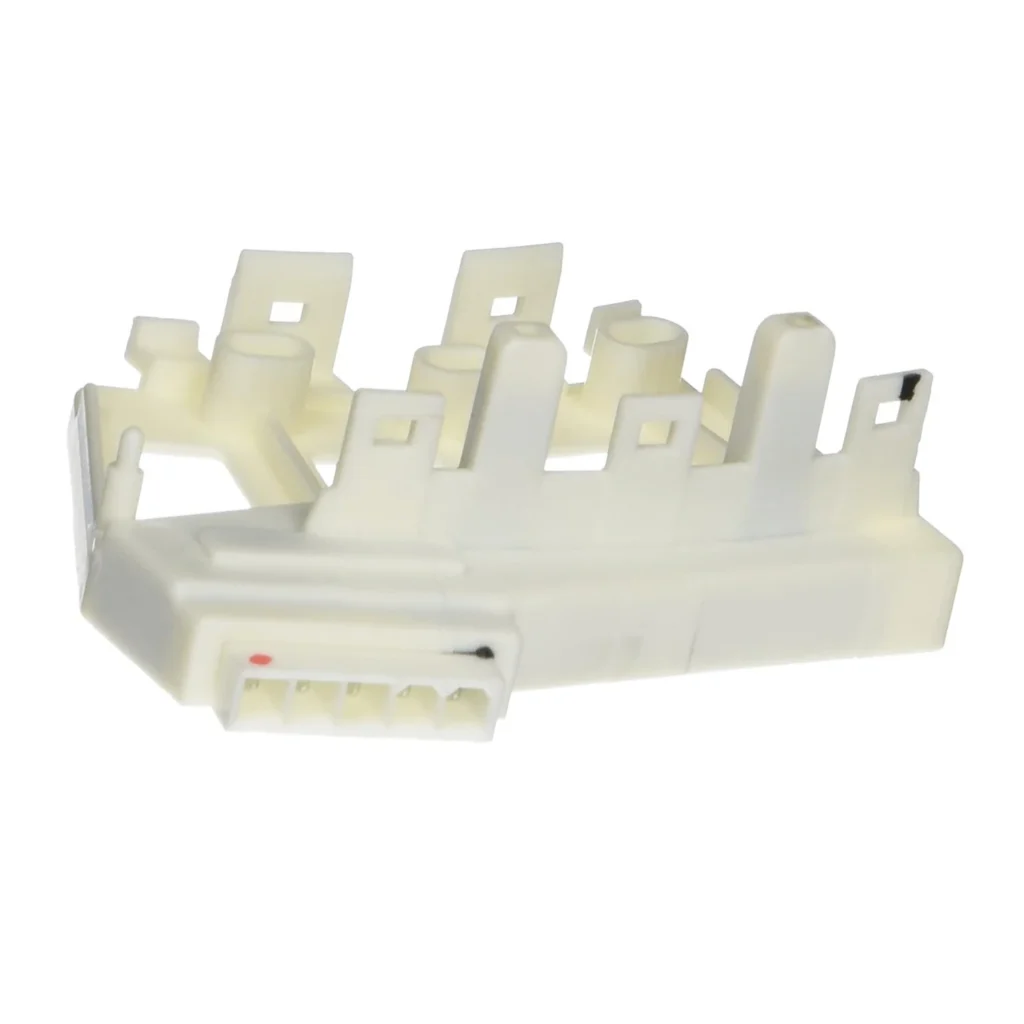
If your LG washer is flashing an LE error code and refusing to spin, you're likely dealing with a failed rotor position sensor (also called a Hall sensor). This small component tells the motor controller where the drum is positioned during the spin cycle. When it fails, your washer stops mid-cycle or won't start at all. This hub covers the 6501KW2002B replacement sensor and shows which LG and Kenmore models it fits.
Is This the Right Part for Your Model?
The rotor position sensor 6501KW2002B (replaces 6501KW2002A, AP4440680, PS3529186) fits over 100 LG front-load washer models from the WM series. You'll find your model number on a sticker inside the door opening or on the back panel near the water inlet. If you're seeing LE error codes, loud grinding noises during spin, or the drum won't turn at all, this sensor is the likely culprit.
About This Replacement Part
The rotor position sensor mounts directly onto the stator assembly and uses magnetic positioning to track drum rotation. It fails due to electrical wear, vibration damage, or moisture intrusion — common in washers that handle heavy loads regularly. When it goes bad, the control board can't determine drum position and throws an LE error as a safety measure. One owner reported: "I looked up the error code online and found tons of complaints & fixes. I looked at your Youtube video and bought the Rotor Position Sensor Switch, ($17.00 - what did I have to lose.....) I am not a mechanical person by any stretch of the imagination, but I pulled out the washing machine, took off the back, and replaced the switch in and put it all back together in 25 minutes."
What You Need to Know Before Ordering
This is a straightforward repair that takes 1-2 hours for most DIYers. You'll need a 17mm socket (not 15mm like some videos claim), blue medium-strength Loctite for reassembly, and someone to hold the drum from inside while you work on the main bolt. The sensor itself clips onto the stator housing — no soldering required. After installation, manually rotate the drum a few inches to help the sensor register properly if the drum doesn't immediately start spinning.
Common Symptoms This Part Fixes
- LE error code displayed on control panel
- Washer fills but drum won't spin or agitate
- Loud grinding or buzzing noises during spin cycle
- Washer stops mid-cycle and won't restart
Installation Overview
Remove the back panel (4 screws), disconnect the wire harness, unbolt the rotor assembly using a 17mm socket, remove 6 stator bolts, pop off the old sensor with a flathead screwdriver, snap the new one into place, and reassemble. Apply Loctite to the main bolt threads before tightening. The entire job requires basic tools and moderate mechanical comfort — one user completed it in 25 minutes on their first attempt.
Can't find your model?
Enter your model number and we'll confirm the right part.